Mealime Is Shutting Down on October 21, 2026: Save Your Recipes and Switch to Swoodie
By Daniel · · 7 min read
The short version. Mealime was discontinued on October 21, 2026. Its closing notice said Pro subscribers would not be charged again before then, that the recipe library would move to Meals Hub inside the Albertsons Companies grocery apps (Safeway, Vons, Jewel-Osco and others), and that all personal data would be deleted when the app shut down. If you are deciding where your weeknight dinners live now, the options are below: Meals Hub if you shop at one of those stores, or Swoodie, which you can start for free.
If you searched “Mealime shutting down” or “Mealime closed”, the news was real: the notice was on Mealime’s own site. And it is a loss. Mealime was good at one job — quick weeknight dinners and a tidy grocery list, with nothing in the way. So the question is no longer whether to leave. It is where your weeknight dinners live now.
I make Swoodie, so I am not neutral, and this guide is about moving to Swoodie. But I will also tell you when Meals Hub is the better move, because for some Mealime users it is.
What Mealime’s closing notice said
- The date: Mealime was discontinued as of October 21, 2026.
- Pro: Pro subscribers would not be charged any more subscription fees before the shutdown. The notice did not mention refunds.
- The recipes: Mealime’s recipes would continue on Meals Hub, a section of the Albertsons Companies store apps and websites — Safeway, Albertsons, Vons, Jewel-Osco, ACME Markets, Shaw’s, Tom Thumb, Randalls, Pavilions, Star Market, United Supermarkets, Haggen and Carrs.
- Your account: all personal data would be deleted when Mealime shut down, and certain preferences and settings would need to be set up again inside Meals Hub.
- Export: the notice did not offer one.
Why did Mealime close?
The notice gave no reason beyond the move itself. Albertsons Companies, the grocery group that owns Mealime, said it was folding the recipes into Meals Hub inside its own store apps. So Mealime did not close because weekly meal planning stopped working. It became a feature of a supermarket’s app — and whether that is a good home for your dinners depends mostly on where you shop.
Should you just move to Meals Hub?
Probably yes, if you already shop at one of those stores and are happy planning around its shelves. It is the official path, and the notice said the recipes you know would be there.
Probably not, if:
- You live outside the US. Every store on the Meals Hub list is an American chain.
- You shop somewhere else. A meal planner inside one supermarket’s app is built to fill that supermarket’s cart.
- You want your recipes, your plan and what you actually ate in one place — which Mealime never did either.
For everyone in that second group, here is how to move to Swoodie.
Comparing more options first? See the best Mealime alternatives in 2026.
Step 1: Bring over the Mealime recipes you kept
Swoodie’s Recipe Vault saves a recipe from a link, from pasted text or from a photo. While Mealime was open its recipes had public pages on mealime.com, and we checked the link route on a live one: the title, servings, cook time, every ingredient and every step came through. We can’t say whether those pages are still online, so a saved link may not open.
- Install Swoodie on iOS or Google Play. No account needed.
- Find what you kept. A Mealime recipe link you saved, a screenshot of the recipe, or its text.
- Add it to Recipe Vault. Add a recipe from a link, from pasted text or from a photo — or share the page from your phone’s browser straight to Swoodie.
- Check the pantry staples. Mealime listed some basics, such as olive oil, salt or mayonnaise, without amounts, so they arrive without amounts too. Compare against your original if you still have it.
No link? Recipe Vault also saves from pasted text or a photo, so a screenshot of a recipe from the Mealime app works too, and neither depends on Mealime’s site. Start with the dishes you cook every week.
Saving from a link, text or a photo is one of Swoodie’s AI features. Your first saves come out of the 10 free AI uses you start with, no card, and Premium makes them unlimited — and Premium is free for 7 days on the yearly plan, which is plenty of time to move a whole Mealime rotation.
Step 2: Rebuild your Mealime week in Swoodie
Here is where each part of the Mealime routine lands.
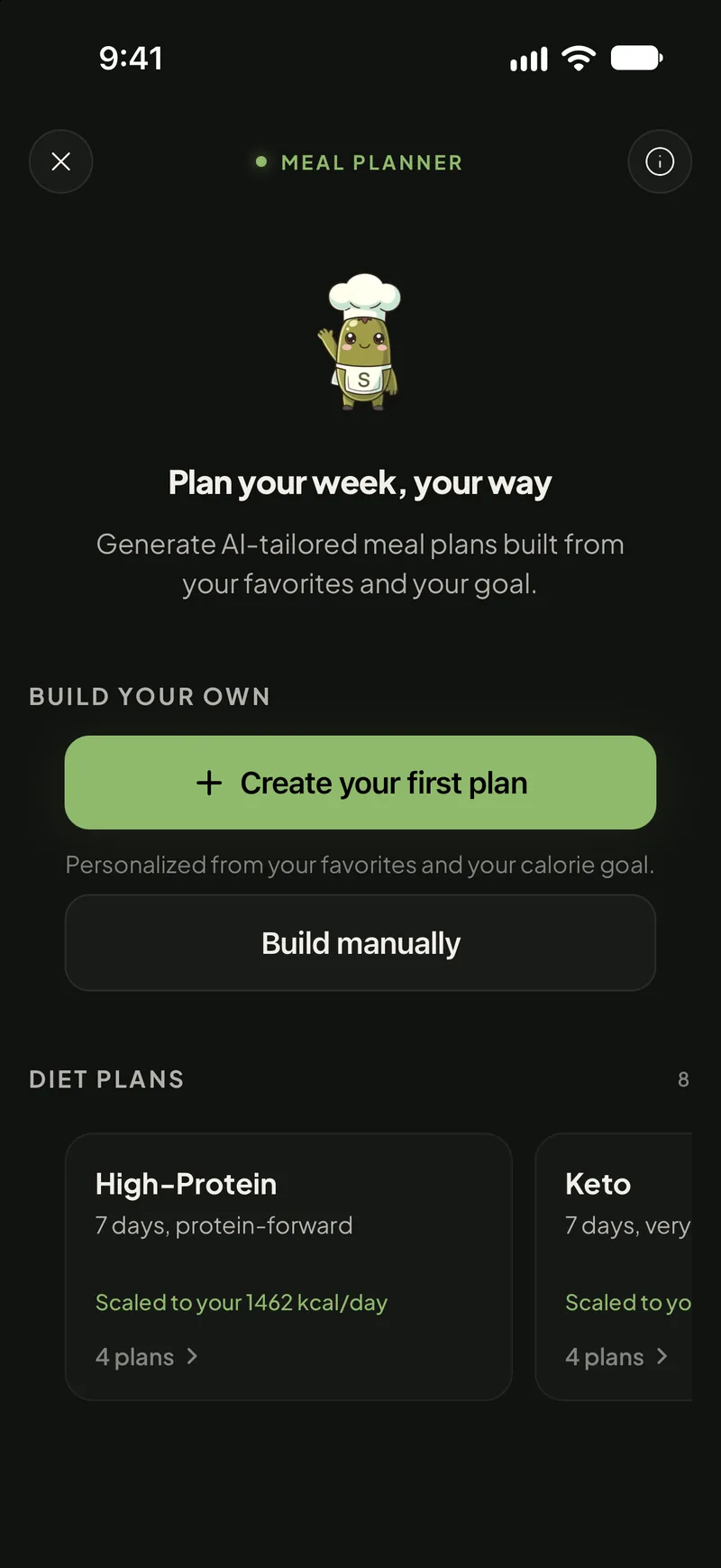
- The weekly dinner plan → build it yourself for free: add recipes from Swoodie’s library, from your Recipe Vault (including the Mealime recipes you saved) or from Chef AI, name the plan and map out the week. Want the week picked for you instead? The AI Meal Planner builds a 1-, 3- or 7-day plan around your calorie and macro targets (Premium).
- The grocery list → the AI Shopping List turns a meal plan into one checklist, with ingredients combined across recipes, units normalized and everything grouped by store aisle (Premium).
- Quick, simple recipes → a library of thousands of recipes, free and without an account (Premium opens the full 8,000+). Swipe through Discover and keep what looks good.
- Eating a particular way → eight ready-made 7-day diet plans (High-Protein, Keto, Vegan, Mediterranean, Vegetarian, Pescetarian, Gluten-Free and Paleo). Browsing them is free. Load one into your planner and every day is filled in, then swap meals and generate the shopping list — loading comes with Swoodie Lite or Premium, or costs one of your free AI uses. See the free 7-day diet meal plans.
- Cooking for a household → Nest, a shared kitchen you can add up to six members to, with one pantry, one meal plan and one shopping list that merges duplicates. Whoever creates the Nest needs Swoodie Lite or Premium; everyone else joins free (each plan is still for one person).
- Agreeing on dinner → Swipe Together. You each swipe on your own phone, and only the dishes you both like come up. Mealime never had anything like it.
What Swoodie does that Mealime never did
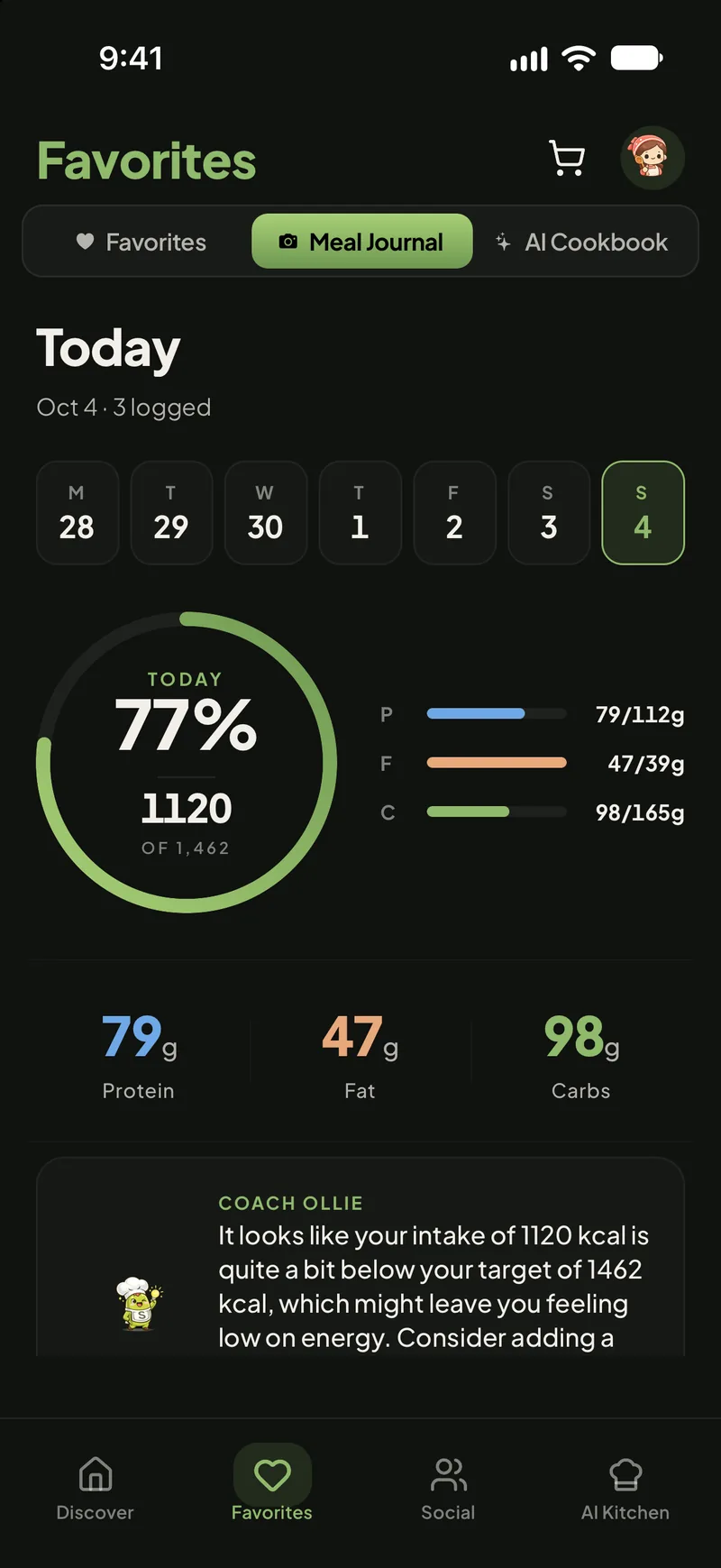
Mealime planned the meal. It never recorded what you actually ate. Swoodie is a calorie tracker too: type the calories in with Quick Add, look up a packaged food among 3 million+ branded products, or tap Log again to repeat yesterday’s breakfast — all free on every plan — and photo and barcode scanning come with your free AI uses. So the week you planned and the week you actually ate live in the same app. That matters most on the Wednesday when the plan falls apart, which is most Wednesdays.
And there are no ads, on any plan.
What it costs after Mealime
- Free: thousands of recipes (Premium opens the full 8,000+), building your own meal plans, calorie logging with Quick Add and Food Search, and 10 AI uses to try — saving recipes from links, Chef AI, meal scans and AI meal plans. No account, no card.
- Swoodie Lite: $9.99, paid once, with no subscription. It unlocks the whole app without the AI features — unlimited favorites, every filter, hosting a Nest for your household and applying the ready-made diet plans.
- Swoodie Premium: $9.99/month or $59.99/year, and free for 7 days on the yearly plan. Unlimited recipe saving from links, the AI Meal Planner, the aisle-sorted AI Shopping List and everything else.
If you paid for Mealime Pro, Premium is the closest match. If you used Mealime for free and simply want a planner, start on the free plan and see how far it takes you.
Your checklist after Mealime
- Install Swoodie and save the Mealime recipes you cook most.
- Rebuild the week you had planned in Swoodie’s planner with the recipes you saved, so next week isn’t a blank page.
- If you shop at an Albertsons Companies store, have a look at Meals Hub as well — nothing stops you using both.
Mealime’s last day was October 21. The dinners you cook every week don’t have to go with it: get Swoodie on iOS or Google Play, save your favorites tonight, and plan next week with them — or get a free personalized calorie plan in three minutes first.
Frequently asked questions
Is Mealime closed?
Yes. Mealime closed on October 21, 2026; its own notice said the app was discontinued as of that date. The notice said its recipes would continue on Meals Hub inside the Albertsons Companies grocery apps, such as Safeway, Vons and Jewel-Osco.
Why did Mealime close?
The notice gave no reason beyond the move itself: Albertsons Companies, the grocery group that owns Mealime, said it was folding the recipes into Meals Hub inside its own store apps and websites.
What happened to my Mealime Pro subscription?
Mealime said Pro subscribers would not be charged any more subscription fees before the app was discontinued on October 21, 2026. The notice did not mention refunds.
Can I export my Mealime recipes?
Mealime's notice did not offer an export, and said all personal data would be deleted when the app shut down. If you kept a Mealime recipe link, a screenshot or the recipe text, you can save it into Swoodie's Recipe Vault, which reads the ingredients and steps from a link, pasted text or a photo. We can't say whether Mealime's old recipe pages are still online, so a saved link may not open; a screenshot or pasted text does not depend on Mealime's site.
Does Meals Hub work outside the US?
Meals Hub sits inside the store apps and websites of the Albertsons Companies grocery chains — Safeway, Albertsons, Vons, Jewel-Osco, ACME Markets, Shaw's and others — and every one of them is a US chain.
What is the best Mealime alternative?
If you already shop at an Albertsons Companies store, Meals Hub is the official path. For everyone else, Swoodie: a free library of thousands of recipes (Premium opens the full 8,000+), a free build-your-own meal planner and a free aisle-sorted shopping list, an AI Meal Planner on Premium (free for 7 days on the yearly plan), and a calorie tracker in the same app.
Written by
Daniel
Founder of Swoodie
Hi, I'm Daniel — the person behind Swoodie. I'm based in Poland and have been working on Swoodie solo since January 2026. I write about nutrition tracking, intermittent fasting, recipe planning, and cooking together with a partner — everything tested in my own kitchen with the app I'm building.
Related articles
How to Count Calories and Macros in a Home-Cooked Dish: Weigh the Pot, Then Your Plate
7 min read
A worked example with real numbers: add up the raw ingredients, weigh the finished pot, weigh your plate and take its share. Plus the 4/4/9 check and the kJ trap on EU labels.
Best Paprika Alternatives in 2026: 8 Recipe Apps Compared
11 min read
Eight Paprika alternatives compared on price, platforms, recipe import, meal planning and grocery lists, including the free options and who each one suits.
Best Mealime Alternatives in 2026 (After the October 21 Shutdown)
8 min read
Mealime ends October 21, 2026. Six replacements compared on quick dinners, weekly plans and grocery lists — who each one suits and what it costs.
Samsung Food vs Paprika vs Swoodie (2026): Free, Buy-Once, or All-in-One?
8 min read
An honest 2026 comparison of Samsung Food, Paprika, and Swoodie — recipe library, meal planning, calorie tracking, price, and vendor lock-in. Which recipe app fits how you actually cook?