Samsung Food vs Paprika vs Swoodie (2026): Free Giant, Classic Vault, or All-in-One?
By Daniel · · 8 min read
Three recipe apps, three completely different philosophies. Samsung Food is the free giant — a 240,000-recipe library with a free meal planner. Paprika is the classic recipe vault — free for a small collection since Paprika 4, with a low-priced yearly Premium for the rest. Swoodie is the all-in-one — recipes plus AI generation, calorie tracking and a couples mode in the same app. They overlap just enough to look like rivals, and differ just enough that the wrong pick wastes your time.
This is the honest comparison: what each one is genuinely best at, what it quietly costs you, and who should ignore the other two.
The 60-second verdict
- Pick Samsung Food if you want the biggest free recipe library — especially if you own Samsung kitchen appliances.
- Pick Paprika if you want a focused, offline-first cookbook with native Mac and Windows apps — free for up to 50 recipes, then a low yearly Premium ($14.99/year at its US introductory price).
- Pick Swoodie if you want recipes, calorie tracking, a meal planner and a couples mode in one vendor-neutral app — on a subscription, or pay once with Swoodie Lite ($9.99).
How we compared them
Pricing and features below are from each app’s own listing, checked in 2026. The thing to keep straight: these aren’t three versions of the same product. Samsung Food and Paprika are recipe managers with a planner attached; Swoodie is a recipe-and-nutrition app. The right pick depends entirely on which job you’re hiring an app to do — store, or store-plus-track-plus-decide.
Samsung Food — the free library giant
Best for: cooks who want the largest free recipe collection and a free weekly planner.
Samsung Food (rebranded from Whisk in 2023) is a genuinely capable recipe organizer and meal planner. The library is enormous — 240,000+ recipes — you can import from the web, build a weekly meal plan, and get a consolidated shopping list. For zero dollars, that is a lot of app.
The catches surface once you lean on it. The AI-personalized meal plans and the Vision AI features sit behind Food+ at $59.99/year. And the most interesting connected-cooking features are tuned for Samsung’s own kitchen appliances — if you don’t own them, you’re not getting the whole product. It also isn’t a calorie counter: it plans and organizes, but it won’t track what you actually eat against a goal.
Paprika — the classic recipe vault
Best for: people who want a private, offline-first cookbook on every device they own.
Paprika is the recipe vault power users love. You find a recipe anywhere, save it, and Paprika keeps it clean and searchable with a built-in grocery list and a manual planner. It runs on iPhone, iPad, Mac, Android and Windows. The pricing changed in November 2026: Paprika 4 is free to download, with up to 50 recipes and no sync between devices, and Premium — unlimited recipes and sync across devices — is a yearly subscription ($14.99/year at its US introductory price, one subscription for every platform). Paprika 3 owners get a free upgrade to a Standard version.
What you are not buying is any AI. Paprika won’t generate a recipe, adapt one to your macros, or estimate calories from a photo, and the planner is manual — you drag meals onto days yourself. For a lot of people that’s exactly right; for anyone who wants the app to do the thinking, it stops short.
Swoodie — recipes that also track and decide
Best for: people who want one app for recipes, nutrition, and cooking with someone else.
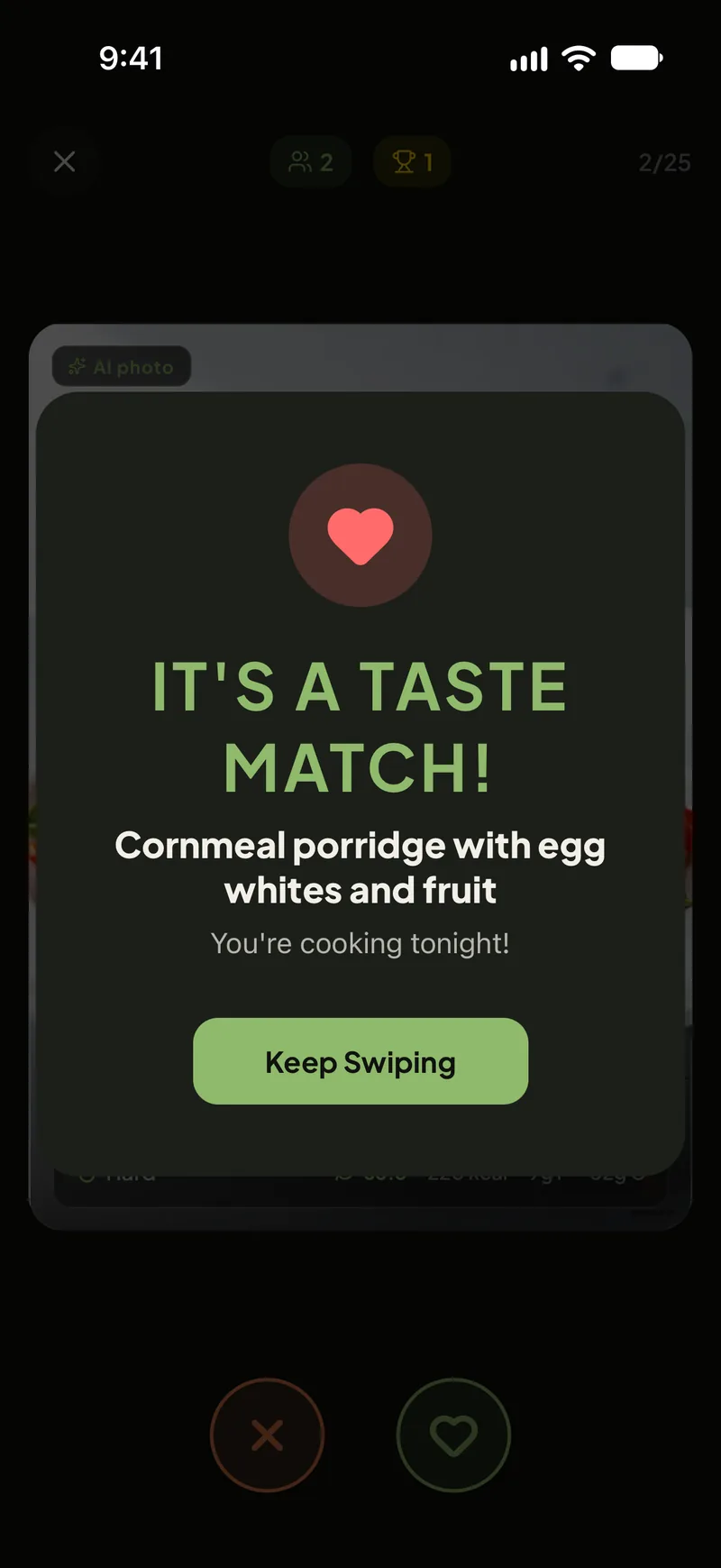
Swoodie starts from the same recipe-app base — an 8,000+ recipe library plus your own imports — then adds the parts the other two leave out. Chef AI generates recipes, and AI variations remake any dish lower-carb, higher-protein, vegetarian or without your saved allergens (an AI suggestion, so check the ingredients). AI photo tracking estimates calories and macros from a snapshot of your plate, or a barcode. The planner builds a week and merges every ingredient into one shopping list. Product Check scores any packaged product 0–100 for quality. Every scanned meal also comes back with a Blood Sugar Score — a steady, moderate or spiky read estimated from its carbs and fibre (a tracking signal, not a medical reading) — plus, for photo scans, a Meal Report Card grading the plate, and Coach Ollie reads the day back in one short line. Six offline Kitchen Tools — unit, oven and air-fryer converters, a recipe scaler, cook times and safe temperatures — cover the bench-side jobs a pure recipe manager leaves out. And Swipe Together lets two people swipe recipes in parallel and match — the “what’s for dinner?” problem solved without a debate.
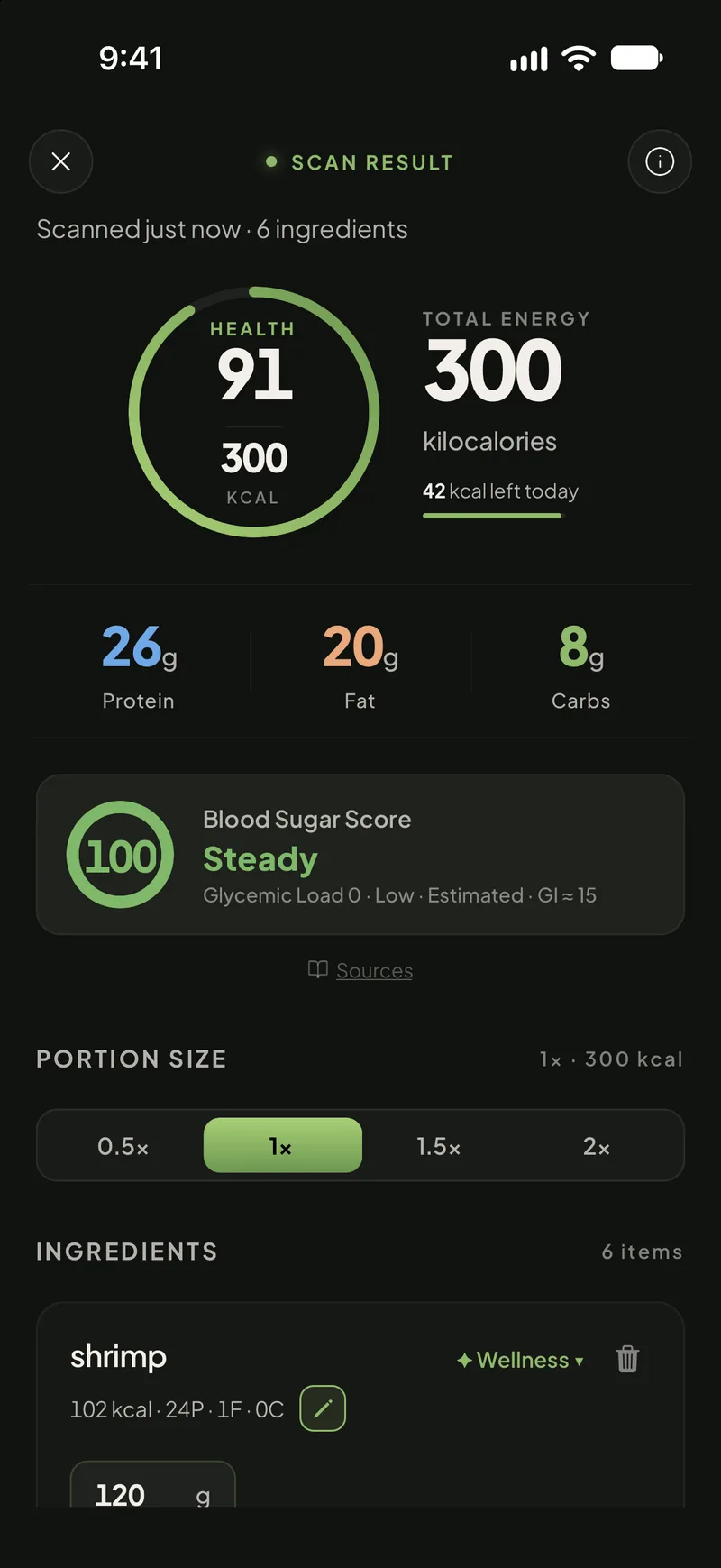
The trade-off is honest: Swoodie’s library is smaller than Samsung Food’s 240,000, and its AI tools are on Premium, a subscription (the one-time Swoodie Lite unlocks everything else). In exchange it’s vendor-neutral (any phone, no appliance required) and carries no ads on any tier — and it’s the only one of the three that tracks what you actually eat.
Pricing
- Samsung Food: free; Food+ is $59.99/year (or $6.99/month) for AI-personalized meal plans, with a 7-day free trial.
- Paprika: free for up to 50 recipes, one grocery list and no sync; Premium is $14.99/year at its US introductory price, with a 7-day free trial, and covers iPhone, iPad, Mac, Android and Windows. Paprika 3 owners get Premium at $9.99/year. (Since Paprika 4, November 2026 — it used to be a one-time purchase.)
- Swoodie: a free tier with thousands of recipes (Premium opens the full 8,000+) plus real tracking — manual calorie & macro logging (Quick Add) and diet-style macro targets — with the AI features in Premium; Premium at $9.99/month or $59.99/year with a 7-day trial on yearly — and no ads on any tier.
Is Samsung Food free? Yes — its App Store listing calls it “The Most Powerful Free Meal Planning App”, and the free tier is where the 240,000-recipe library lives. One thing worth checking before you build a big collection in any recipe app is how you get it back out: Samsung Food’s help center documents printing a recipe one at a time, but no recipe or data export.
And if the subscription itself is your objection: Swoodie Lite is a $9.99 one-time purchase — the whole app, forever, without the AI features. It also exports your log, weights and saves as CSV, so your data can leave with you.
Which should you pick?
- The biggest free library: Samsung Food — nothing here matches 240,000 recipes at $0.
- Offline-first, desktop apps, cheapest to run: Paprika — free up to 50 recipes, then $14.99/year at its US introductory price.
- Pay once but keep calorie tracking and the couples mode: Swoodie Lite — $9.99 one-time, everything except the AI features.
- Recipes AND calorie tracking in one app: Swoodie — the only one here that logs what you eat against a goal.
- Cooking with a partner: Swoodie — Swipe Together doesn’t exist in Samsung Food or Paprika.
- You own Samsung kitchen appliances: Samsung Food — the connected-cooking flow a neutral app can’t match.
The honest summary: Samsung Food wins on library size and price-to-entry, Paprika wins on simplicity and a low price, and Swoodie wins when you want one app to store recipes, track nutrition and decide dinner together — without a vendor to lock into.
Swoodie vs Samsung Food · Swoodie vs Paprika · Best Paprika alternatives (8 apps compared) · ReciMe vs Paprika vs Swoodie · Best recipe manager apps · Best meal-planning apps for couples · All alternatives
Try Swoodie free on iOS or Google Play — the recipe library, manual calorie & macro logging and diet-style macro targets are free, the AI features are Premium, and Premium is free for 7 days on the yearly plan. No account needed to start.
Frequently asked questions
Which is the best free recipe app — Samsung Food, Paprika, or Swoodie?
Samsung Food has the largest free library (240,000+ recipes) but keeps its best AI features behind Food+ ($59.99/year). Paprika is free for up to 50 recipes, without sync; Premium is $14.99/year at its US introductory price. Swoodie has a free tier with a library of thousands of recipes (Premium opens the full 8,000+) and basic tracking, with the AI features in Premium (free trial) — Lite adds 10 one-time AI tries — and no ads on any tier.
Which of these apps tracks calories?
Only Swoodie. Samsung Food and Paprika are recipe managers and meal planners — they organize recipes and build shopping lists but don't log what you eat. Swoodie tracks calories and macros with photo and barcode scanning in the same app as your recipes.
Do I need a Samsung phone or appliances to use Samsung Food?
No — Samsung Food runs on any phone, but its most interesting connected-cooking features are tuned for Samsung kitchen appliances, and its Vision AI is part of the paid Food+ tier. Swoodie is vendor-neutral: every feature works on any iPhone or Android with no appliance required.
Written by
Daniel
Founder of Swoodie
Hi, I'm Daniel — the person behind Swoodie. I'm based in Poland and have been working on Swoodie solo since January 2026. I write about nutrition tracking, intermittent fasting, recipe planning, and cooking together with a partner — everything tested in my own kitchen with the app I'm building.
Related articles
Meal prep
How to Make Any Recipe Your Way: Lighter, Vegan, Higher in Protein or Air-Fryer Ready
Simple ingredient swaps to make any recipe lighter, vegan or vegetarian, higher in protein, gluten-free or dairy-free, or ready for an air fryer, one pan or slow cooker — and how to cook from what's already in your fridge.
· 9 min readMacros
How to Count Calories and Macros in a Home-Cooked Dish: Weigh the Pot, Then Your Plate
A worked example with real numbers: add up the raw ingredients, weigh the finished pot, weigh your plate and take its share. Plus the 4/4/9 check and the kJ trap on EU labels.
· 7 min readMeal prep
Free 7-Day Diet Meal Plans: Keto, High-Protein, Paleo & More (2026)
A free guide to ready-made 7-day diet meal plans — keto, high-protein, vegan, Mediterranean, paleo and more — how to use one, and how to tweak it to taste and auto-build a shopping list.
· 7 min readMeal prep
How to Save Recipes from TikTok, Instagram & YouTube (2026)
Saved a recipe video you can't find again? How to save recipes from TikTok, Instagram and YouTube — and turn any link into ingredients, steps and tracked macros.
· 7 min read