Best Paprika Alternatives in 2026: 8 Recipe Apps Compared
By Daniel · · 11 min read
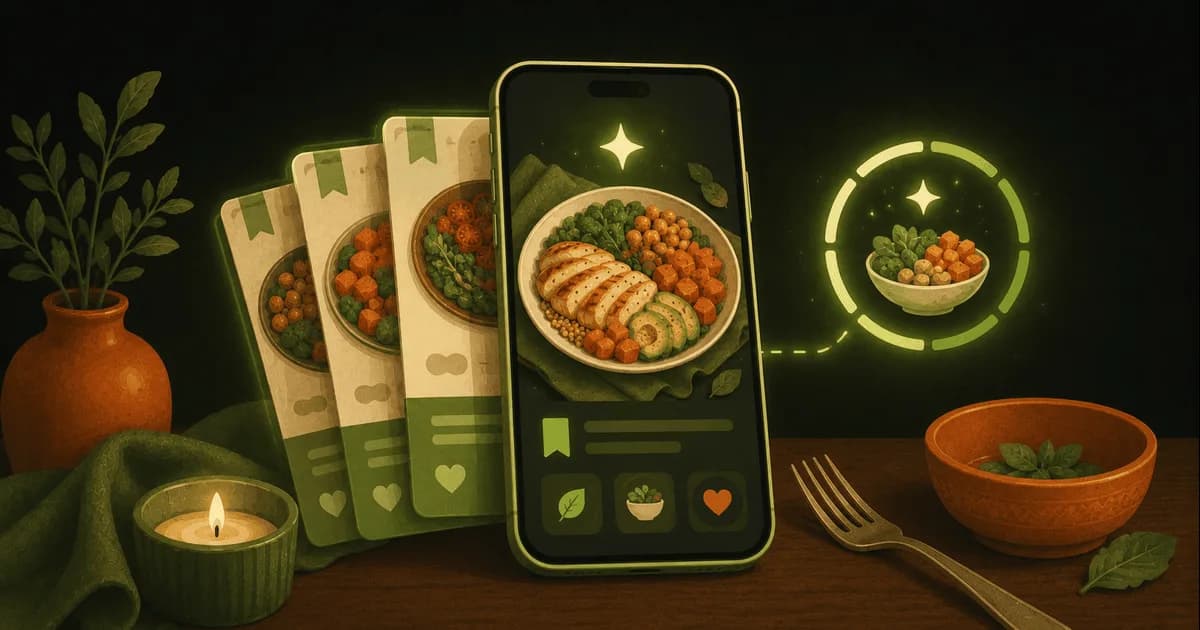
The short version. For a pay-once recipe box on Apple devices, Mela or Crouton. For Windows, Recipe Keeper. For free, Samsung Food or AnyList. For a planner that builds the grocery list for you, Plan to Eat. For recipes from TikTok and Instagram, ReciMe. If you also want calorie tracking and a way to pick dinner with a partner, Swoodie. We make Swoodie, so read its section with that in mind.
Paprika is still one of the best recipe managers you can buy. It saves recipes from any website, builds meal plans and grocery lists, and syncs them across your devices for free once you own the app. People still go looking for something else, usually for one of four reasons:
- You pay per platform. Paprika is $4.99 on iPhone and iPad, $29.99 on Mac and $29.99 on Windows, each bought separately. iPhone plus Mac comes to $34.98.
- No AI. It won’t write a recipe, adapt one or plan your week for you.
- No calorie tracking. Paprika keeps the nutrition a recipe site provides, but it doesn’t log what you eat.
- Built for one cook. There is no mode for two people to choose dinner together.
(If you were looking for a substitute for paprika the spice, a mild chili powder is the usual swap. This article is about the Paprika recipe app.)
I make Swoodie, so it is first on this list and I am not neutral. Every other app was checked against its own website and store listing on October 12, 2026. Where something couldn’t be confirmed there, it is left out rather than guessed. Each section says who is better served elsewhere.
Quick pick: which Paprika alternative fits you
- Want recipes, calorie tracking and dinner decided with a partner in one app: Swoodie.
- Want the most free features, on the web too: Samsung Food.
- Mostly want a shared grocery list, with recipes on the side: AnyList.
- All-Apple household that wants the prettiest pay-once app: Mela.
- iPhone and Mac, smart import and a one-time price: Crouton.
- Need Windows and Android, paid once: Recipe Keeper.
- Want the plan and aisle-sorted grocery list done for you, on the web too: Plan to Eat.
- Get most recipes from social video: ReciMe.
Paprika alternatives compared
| App | Price (US) | Platforms | Import from a link | Import from social video | Meal planner | Grocery list | Sync & sharing | Free version |
|---|---|---|---|---|---|---|---|---|
| Paprika 3 (for reference) | $4.99 iPhone/iPad, $29.99 Mac, $29.99 Windows, each sold separately | iPhone, iPad, Mac, Windows, Android | Yes, built-in browser | — | Yes, calendar | Yes, sorted by aisle | Free cloud sync | Android and Windows: 50 recipes, no sync |
| Swoodie | $9.99/month or $59.99/year; Swoodie Lite $9.99 one-time | iPhone, Android | 10 free AI uses, then Premium | Save 5 videos free; AI recipe extraction: Premium | Yes, free (AI-built plan: Premium) | Yes, free, merges duplicates | Households and couples (host: Lite or Premium; join free) | Yes — recipe library, planner, list, calorie logging |
| AnyList | Complete $9.99/year, or $14.99/year for a household | iPhone, iPad, Apple Watch, Android; Mac and web with Complete | Yes (5 on the free plan) | — | Calendar: Complete | Yes, shared lists free | Yes, household plan | Yes |
| Mela | $6.99 iPhone/iPad, $14.99 Mac (one-time) | iPhone, iPad, Mac | Yes | From video descriptions (YouTube, TikTok, Instagram) | Yes, in Apple Calendar | Yes, in Reminders | iCloud; shared libraries | Free download; purchase unlocks all features |
| Crouton | Crouton Plus $24.99 one-time; Discover $1.99/month or $14.99/year | iPhone, iPad, Mac, Apple Watch, Vision Pro | Yes, plus PDFs, photos and text | — | Yes, weekly | Yes, works with Reminders | iCloud; household sharing | Free download with in-app purchases |
| Samsung Food | Food+ $6.99/month or $59.99/year | iPhone, iPad, Android, web | Yes, from any website | — | Yes (AI-personalized plans: Food+) | Yes, shared | Yes | Yes |
| Recipe Keeper | Pro one-time per platform: $19.99 iPhone/iPad, $19.99 Android, $29.99 Mac | iPhone, iPad, Android, Windows, Mac | Yes | Instagram and TikTok | Yes, weekly or monthly | Yes, sorted by aisle | Syncs across platforms; shared family collection | Free download, Pro upgrade per platform |
| Plan to Eat | $5.95/month or $49/year on its website ($54.99/year in the App Store) | iPhone, Android, web | Yes, Recipe Clipper | Clips Instagram, TikTok and Pinterest posts | Yes, calendar | Yes, sorted by store and aisle | Unlimited devices; one account per household | No — 14-day free trial |
| ReciMe | $39.99/year | iPhone, iPad, Android, web | Yes, plus a Chrome extension | Instagram, TikTok, YouTube, Facebook, Pinterest | Yes, weekly (free) | Yes, sorted by aisle (free) | Cloud sync | Yes — 5 imports a week |
A dash means the app’s own listing doesn’t mention it, not that it’s confirmed missing. Prices are US list prices on October 12, 2026.
1. Swoodie: recipes, meal planning and calorie tracking in one app
Who it’s for: people who want an app to suggest what to cook, not only store recipes, and who also count calories or plan meals with a partner.
Paprika starts empty and fills up with the recipes you bring. Swoodie starts with a library: thousands of recipes free and without an account, swiped one card at a time (Premium opens the full 8,000+). The parts Paprika users rely on are there and free on every plan: a 1-, 3- or 7-day meal planner you fill in yourself, and a shopping list built from any plan that merges duplicate ingredients. Six offline Kitchen Tools handle unit, oven and air-fryer conversion, scaling, cook times and safe temperatures.
What Paprika doesn’t have:
- calorie and macro logging, free, so the recipe and what you ate live in the same app;
- Chef AI, which writes recipes from the ingredients you have, and an AI Meal Planner that builds the week around your targets (10 free AI uses, then Premium);
- Swipe Together, where two people swipe on their own phones until they match on dinner, and Nest, one pantry, plan and shopping list for a household of up to six (hosting needs Lite or Premium; joining is free).
Moving your recipes: Swoodie imports a recipe from a link, and saves recipe videos into its Recipe Vault. Link import and pulling the recipe out of a video are Premium features you can try with the free AI uses; saving up to 5 videos is free.
Cost: free to start. Premium is $9.99/month or $59.99/year, free for 7 days on the yearly plan. Swoodie Lite is $9.99, paid once, for the whole app without the AI features.
Downsides, honestly: there is no Mac, Windows or web app, only iPhone and Android, so if you cook from a laptop, Paprika is better. Moving a large Paprika collection across link by link uses AI imports, which are Premium after the 10 free uses. And if all you want is a tidy recipe box, Swoodie is more app than you need: a one-time manager is the cheaper buy.
2. AnyList: the grocery list that does recipes too
Who it’s for: households whose main problem is the shopping list. AnyList is a shared grocery list first, and shared lists are free. It also saves recipes from websites (browser extensions included) and has a meal-planning calendar. It runs almost everywhere: iPhone, iPad, Apple Watch, Mac, Android and the web.
Pros: the cheapest way to get every platform, including a web app Paprika lacks; a household plan for the whole family.
Cons: the free plan stops at 5 recipe imports from the web, and the meal-planning calendar, the desktop and web apps, recipe scaling and photos need AnyList Complete.
Cost: free; Complete is $9.99/year, or $14.99/year for a household.
3. Mela: the prettiest pay-once recipe manager for Apple devices
Who it’s for: all-Apple households. Mela saves recipes through its own browser or the share sheet, scans pages from cookbooks, and can pull a recipe out of the description of a YouTube, TikTok or Instagram video. Meal plans live in Apple Calendar and grocery lists in Reminders, so they share over iCloud, and you can share recipe libraries with other iCloud users.
Pros: a one-time purchase that covers both iPhone and iPad; free iCloud sync; feels native in a way few apps do.
Cons: Apple only, so a partner on Android is left out. The Mac app is a separate purchase.
Cost: free download; Mela+ is $6.99 once on iPhone and iPad, and $14.99 on Mac.
4. Crouton: smart import for iPhone, iPad and Mac
Who it’s for: Apple users who want messy recipes turned into clean ones. Crouton imports from websites, PDFs, photos and plain text, plans the week (it can build a plan from your saved recipes), and sends the grocery list to Reminders. iCloud sync and household sharing are built in, and it runs on iPhone, iPad, Mac, Apple Watch and Vision Pro.
Pros: a one-time Crouton Plus purchase; the widest Apple coverage on this list.
Cons: no Android, Windows or web app. Some extras, such as ingredient substitutions, sit in a separate Discover subscription.
Cost: free download with in-app purchases; Crouton Plus is $24.99 once, Discover $1.99/month or $14.99/year.
5. Samsung Food: the most you get for free
Who it’s for: anyone who wants Paprika’s jobs without paying. Samsung Food’s free plan saves recipes from any website, plans meals, and keeps a grocery list you can share and edit together. Recipes show nutrition facts for free. It runs on iPhone, iPad, Android and the web.
Pros: a free web app and Android app, which Paprika charges for or lacks; a large built-in recipe collection, so you don’t start empty.
Cons: AI-personalized meal plans, tracking with adaptive plans and saving meal plans to reuse are behind Food+, a subscription. It is also a subscription business, where Paprika is a one-time purchase.
Cost: free; Food+ is $6.99/month or $59.99/year.
6. Recipe Keeper: the closest match to Paprika, Windows included
Who it’s for: people who like Paprika’s model, pay once and own it, and need Windows. Recipe Keeper saves recipes from websites and from Instagram and TikTok posts, plans meals by week or month (it can also generate a random plan), and makes aisle-sorted grocery lists. It runs on iPhone, iPad, Android, Windows and Mac, and syncs between them, with a shared family collection.
Pros: a native Windows app from the Microsoft Store; social-post import, which Paprika doesn’t advertise.
Cons: like Paprika, each platform is its own Pro purchase. Nutrition is something you type in, not calculated.
Cost: free download; Pro is a one-time $19.99 on iPhone and iPad, $19.99 on Android and $29.99 on Mac.
7. Plan to Eat: the planner-first choice, on the web
Who it’s for: people who plan the whole week. Plan to Eat’s Recipe Clipper saves recipes from websites and clips Instagram, TikTok and Pinterest posts; you drag them onto a calendar and it writes the grocery list, sorted by store and aisle. Recipes show nutrition, and the planner adds up daily totals. It runs on the web, iPhone and Android, on unlimited devices, with one account for the household.
Pros: a full web app; the most planning-focused tool here.
Cons: no free tier, only a 14-day trial, and it’s a subscription rather than a one-time purchase.
Cost: $5.95/month or $49/year on its website; $54.99/year bought in the App Store.
8. ReciMe: for recipes that come from social video
Who it’s for: people whose recipes come from TikTok and Instagram. ReciMe imports from Instagram, TikTok, YouTube, Facebook and Pinterest, from screenshots and handwritten recipes, and from websites with its Chrome extension. The weekly meal planner and the aisle-sorted grocery list are free. It runs on iPhone, iPad, Android and the web.
Pros: the widest social import on this list; planner and list free.
Cons: the free plan stops at 5 imports a week, and per-recipe calories and macros are premium.
Cost: free; premium is $39.99/year in the US, with a 7-day free trial.
Which Paprika alternative should you pick?
- You want to pay once: Mela (Apple), Crouton (Apple), Recipe Keeper (everything, including Windows), or Swoodie Lite ($9.99) if you also want calorie tracking.
- You want it free: Samsung Food for the widest free feature set, AnyList for a free shared grocery list, ReciMe for 5 social imports a week, Swoodie for a free recipe library, planner and calorie logging.
- You cook from a Windows PC: Recipe Keeper, or a web app (Samsung Food, Plan to Eat, ReciMe, or AnyList with Complete).
- You’re all-Apple: Mela for design, Crouton for import and the widest device list.
- Your recipes come from TikTok and Instagram: ReciMe, Recipe Keeper or Mela.
- You want the week planned and the list written: Plan to Eat, or Swoodie’s AI Meal Planner (Premium).
- You count calories or macros: Swoodie, the only app here that is a full calorie and macro tracker, with logging free. Samsung Food ties its tracking to the paid Food+ plan, and Plan to Eat totals what you planned.
- You plan with a partner: Swoodie for choosing dinner together; AnyList or Plan to Eat for a shared household account.
- Paprika already works for you: keep it. A one-time app you already own is hard to beat.
Head-to-head comparisons
For more depth on specific pairs: ReciMe vs Paprika vs Swoodie, Samsung Food vs Paprika vs Swoodie and Paprika vs Mela vs Crouton vs Swoodie. The feature-by-feature matrix is on Swoodie vs Paprika, and the wider field is in the best recipe manager apps.
Pick the app that fits how you cook. If that’s Swoodie, get it on iOS or Google Play — free, no account — or get a free personalized calorie plan in three minutes first.
Frequently asked questions
What is the best alternative to Paprika?
It depends on what you want Paprika to do better. For a pay-once recipe manager on Apple devices, Mela or Crouton; for Windows and Android, Recipe Keeper; for free, Samsung Food or AnyList; for social-video recipes, ReciMe. If you also want calorie tracking and a way to choose dinner with a partner, Swoodie (which we make) is free to start, with Premium at $9.99/month or $59.99/year, free for 7 days on the yearly plan.
Is there a free Paprika alternative?
Yes. Samsung Food's free plan saves recipes from any website, plans meals and keeps a shared grocery list, on iPhone, Android and the web. AnyList is free with shared grocery lists and 5 web recipe imports. ReciMe is free with 5 imports a week, a meal planner and a grocery list. Swoodie is free with no account: a library of thousands of recipes, a meal planner, a shopping list, calorie logging and 10 AI uses to try.
Which is better, Recipe Keeper or Paprika?
They are close. Both save recipes from the web, plan meals, build aisle-sorted grocery lists, run on iPhone, iPad, Android, Mac and Windows, and are paid once per platform. Recipe Keeper also imports Instagram and TikTok posts and is in the Microsoft Store; Pro costs $19.99 on iPhone/iPad, $19.99 on Android and $29.99 on Mac. Paprika is cheaper on iPhone ($4.99) and saves nutrition from recipe sites automatically, where Recipe Keeper has you type it in.
Does Paprika have a subscription?
No. Paprika 3 is a one-time purchase on each platform: $4.99 on iPhone and iPad, $29.99 on Mac and $29.99 on Windows (US prices, October 2026), and cloud sync is included. Android and Windows have a free version limited to 50 recipes, without sync.
Is there a Paprika alternative with calorie tracking?
Swoodie. It keeps recipes, meal plans and a shopping list like Paprika, and it is also a calorie and macro tracker, with logging free on every plan. Paprika stores the nutrition a recipe site provides but doesn't log what you eat.
Which Paprika alternative works on Windows?
Recipe Keeper has a native Windows app in the Microsoft Store. Samsung Food, Plan to Eat and ReciMe run in a web browser, and AnyList's web app comes with AnyList Complete. Mela and Crouton are Apple-only, and Swoodie runs on iPhone and Android.
Written by
Daniel
Founder of Swoodie
Hi, I'm Daniel — the person behind Swoodie. I'm based in Poland and have been working on Swoodie solo since January 2026. I write about nutrition tracking, intermittent fasting, recipe planning, and cooking together with a partner — everything tested in my own kitchen with the app I'm building.
Related articles
Best Mealime Alternatives in 2026 (After the October 21 Shutdown)
8 min read
Mealime ends October 21, 2026. Six replacements compared on quick dinners, weekly plans and grocery lists — who each one suits and what it costs.
Mealime Is Shutting Down on October 21, 2026: Save Your Recipes and Switch to Swoodie
7 min read
Mealime closes on October 21, 2026. What the notice says, why it is closing, whether Meals Hub suits you, and how to move your favorite recipes into Swoodie before the shutdown.
Samsung Food vs Paprika vs Swoodie (2026): Free, Buy-Once, or All-in-One?
8 min read
An honest 2026 comparison of Samsung Food, Paprika, and Swoodie — recipe library, meal planning, calorie tracking, price, and vendor lock-in. Which recipe app fits how you actually cook?
Common Cooking Mistakes Beginners Make in 2026 (and How to Fix Them)
7 min read
The cooking mistakes that trip up nearly every beginner in 2026 — guessing oven temperatures, undercooking meat, crowding the pan, cooking without a plan — and the simple fix for each, with free tools and an app that does the planning for you.