Eating gluten-free is two jobs at once. The first is the obvious one: finding recipes and products that are actually safe. The second is the constant background check — the sauce, the stock cube, the “may contain” line — that turns every meal into label-reading homework.
Swoodie helps with part of that check, not all of it. Save your allergies once — in the Allergens step when you set up the app, or under Allergens in Filters — and recipes that list them are hidden from the swipe deck on every plan. Product Check warns when a scanned product’s data lists an allergen you saved. Gluten and Wheat are separate choices in that list, so if you avoid gluten, switch on both. Photo and text scans estimate calories and macros; they cannot see what is inside a sauce or a stock cube, and they are not a gluten test.
For celiac disease, treat any app as a first check, not the last word — always verify the package label. Swoodie is a tool, not medical advice.
What makes gluten-free eating hard
- Hidden gluten in sauces, stocks, dressings and ‘may contain’ products
- Recipe sites where ‘gluten-free’ is a tag someone applied on faith
- Cooking for a household where only one person is gluten-free
- Tracking calories in one app and allergens in another
- Eating out or at friends’ places with no quick way to sanity-check a plate
Features evolve fast
Swoodie ships new features regularly, so this page may not reflect the very latest. The homepage is always up to date — check there for everything Swoodie does today.
See the latest on the homepage →What Swoodie does for gluten-free eating specifically
Product Check against your saved allergies
Scan a packaged product with Product Check and a warning appears when its data lists an allergen you saved. No warning means nothing matched your list, not that the product is gluten-free — always check the label.
Gluten-free recipe filter
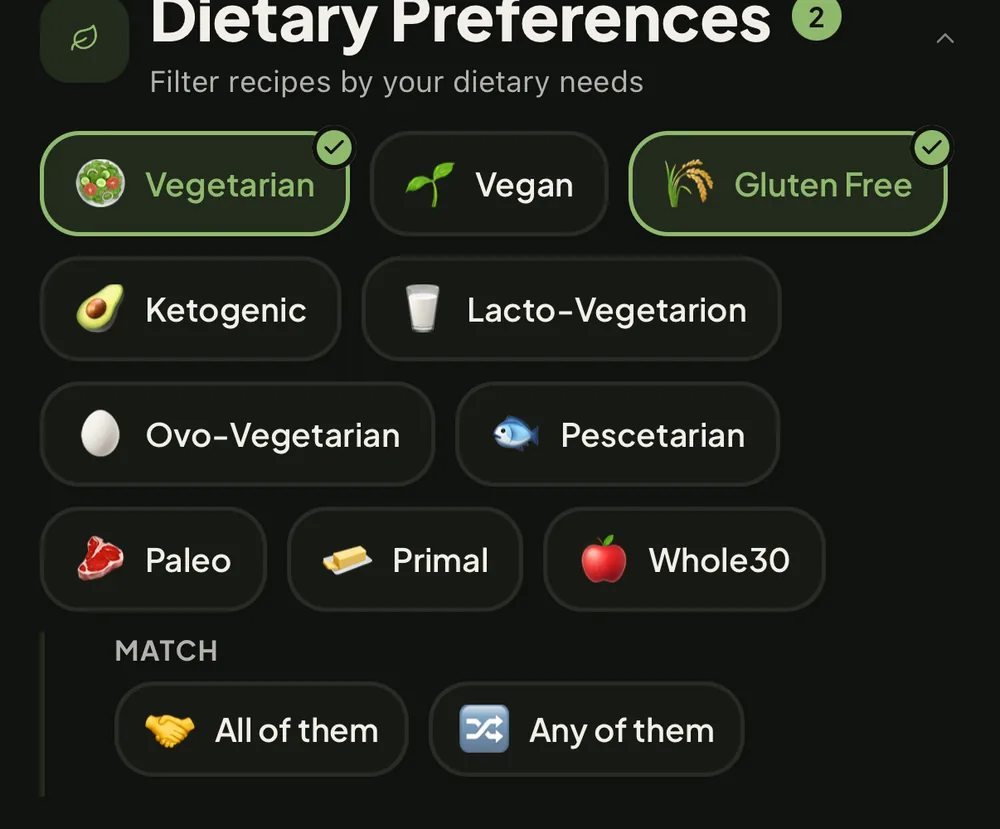
Switch on the gluten-free dietary filter (Lite or Premium) and the recipe library is filtered to match. Always check the ingredients.
Chef AI from what is in your kitchen
Generate recipes from the ingredients you have. Chef AI does not read your saved allergies, so type what to leave out into the Avoid field under Customize. It is an AI, so always check the ingredients.
Photo and text scans: nutrition, not an allergen test
A photo or a typed description gives estimated calories and macros. A scan cannot see what is inside a sauce or a stock cube and is not a gluten test, so check the ingredients and the label.
AI Meal Planner and your saved allergies
The AI Meal Planner is given your saved allergies when it builds your week. It is an AI, so check the ingredients of every planned recipe yourself.
Mixed households
One partner gluten-free, one not? Swipe Together works for both of you: the diet type comes from whoever hosts, and the shared deck takes into account the allergies participants have saved, gluten included — but always check the ingredients.
Allergen-aware filtering is free
Allergies you save are applied to the swipe deck on every plan, so you can test the fit before subscribing to anything. The gluten-free dietary filter itself is Lite or Premium; always check the ingredients.
Quick facts
Photo and text scans
Nutrition estimates, not an allergen test
Barcode (Product Check)
Warns when product data lists a saved allergy
Saved allergies in the swipe deck
Free on every plan
Gluten-free dietary filter
Lite or Premium
Celiac safety
Always verify the label — app is a first check
Frequently asked questions
What is the best meal planning and calorie tracking app for gluten-free eating?
It depends on your priority, but for gluten-free eating the best app is one that does more than count calories — it should also plan meals and suggest recipes. Swoodie combines AI photo and barcode calorie scanning, AI recipe generation, and an AI meal planner with a consolidated shopping list in one app. Save the allergies you avoid and Swoodie hides matching recipes in the swipe deck; Product Check warns when a scanned product’s data lists one. A first check, never the last word — always read the label.
Is Swoodie a good app for gluten-free eating?
Yes. For gluten-free eating, Swoodie combines AI photo + barcode calorie scanning, AI recipe generation, an AI meal planner with consolidated shopping lists, and Swipe Together for couples cooking decisions. Save the allergies you avoid and Swoodie hides matching recipes in the swipe deck; Product Check warns when a scanned product’s data lists one. A first check, never the last word — always read the label.
Is there an app made specifically for gluten-free eating?
Most calorie counters are generic and treat gluten-free eating as an afterthought. Swoodie is one app for tracking and cooking whose recipe library, AI meal planner and dietary filters adapt to gluten-free eating, and the free tier is generous enough to test the fit before subscribing.
Can one app do both calorie tracking and recipes?
Yes — that combination is exactly what Swoodie is built for. Most apps pick a side: calorie counters track but do not help you cook, recipe apps cook but do not track. Swoodie does both — AI photo and barcode scanning feed a daily calorie dashboard, while AI recipe generation and a meal planner handle what to actually cook.
What does Swoodie do specifically for gluten-free eating?
Product Check against your saved allergies — Scan a packaged product with Product Check and a warning appears when its data lists an allergen you saved. No warning means nothing matched your list, not that the product is gluten-free — always check the label.
How is Swoodie different from generic calorie counters for gluten-free eating?
Most calorie counters assume a single user with a single goal. Swoodie is one app for tracking and cooking, so for gluten-free eating it adds Swipe Together for shared decisions, an AI Meal Planner that builds plans around your goal, and Chef AI that generates recipes adapted to your dietary needs. The free tier is generous enough to test fit before any subscription.
Is Swoodie free?
Yes. The free tier includes a library of thousands of recipes (Premium opens the full 8,000+), basic calorie & meal logging, and joining Swipe Together sessions — no account, no ads. The AI features (photo scanning, barcode scanner, recipe generation, meal planner) come as a 10-use free trial, no card. Swoodie Premium is $9.99/month or $59.99/year, with a 7-day free trial on yearly, unlocking unlimited AI use, recipe generation and the meal planner.
Stop doing label homework at every meal
Download Swoodie and save your allergies. The free plan applies your saved allergies to the swipe deck and includes 10 free AI scans — no account, no card; the gluten-free dietary filter is part of Lite and Premium. For celiac disease, keep verifying labels; Swoodie makes the routine faster, your diligence keeps it safe.

Download Swoodie — eat gluten-free with less homework
- No account
- No card
- No ads
Rather not subscribe? Swoodie Lite is $9.99 once — the whole app except the AI features.