A Day with Swoodie: How One App Handles Dinner, Tracking & Eating Together
By Daniel · · 7 min read
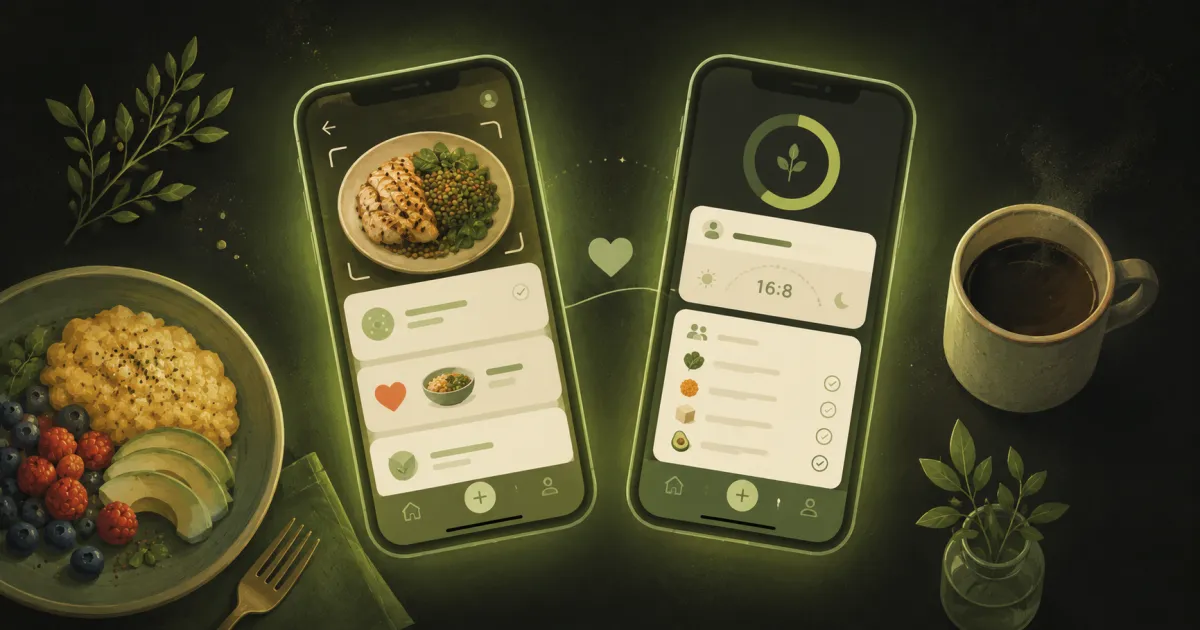
Most food apps do one thing. One counts calories, another stores recipes, a third runs a fasting timer, and somewhere there’s a shared note for the shopping list. Swoodie’s whole idea is to put all of that in one place — and, if you cook with someone, to make it something you do together rather than alone.
The easiest way to explain what it does is to walk through an ordinary day with it.
Morning — log breakfast in seconds
You sit down to breakfast and point your phone at the plate. A photo is enough: our AI reads the meal and logs the calories, protein, carbs, and fat for you. Packaged food? Scan the barcode instead and it pulls the nutrition from trusted food databases. No searching, no typing grams.
If you do intermittent fasting, your eating window is right there too — start the timer when you finish eating and Swoodie tracks the fast in the background.
Midday — logging that fits real life
Lunch out, no time for a photo? Just describe it — “chicken burrito bowl with rice and guac” — and Swoodie turns the sentence into a logged meal with macros. Across the day it keeps a quiet tally against your goal, so by mid-afternoon you already know whether you have room for a snack or need a little more protein. Set your numbers first with the free TDEE calculator and protein calculator if you haven’t already.
Evening — the “what’s for dinner?” question, solved
This is the part Swoodie is really built for. Instead of the nightly “I don’t know, what do you want?” standoff, you and your partner open Swipe Together and swipe through recipes at the same time. When you both like the same dish, it matches — dinner decided, no one had to pitch or veto out loud. The shared deck takes into account the allergies participants have saved, gluten included, while the diet type follows whoever starts the session, so if one of you eats vegetarian, that partner should be the one to open it. Always check the ingredients, though.
Cooking solo works the same way — swipe until something clicks, or tell Swoodie what’s already in your fridge and let it build a recipe around it so dinner doesn’t mean another shop.
Cooking — guidance, then a list that writes itself
Once you’ve picked a recipe, Swoodie walks you through it with clear steps and smart cooking guidance — safe internal temperatures, timings, and conversions when you need them (the same numbers behind our free kitchen converters). Anything you’re missing drops onto a shared shopping list that both partners can add to and that syncs to both phones, so you’re not texting “did you get milk?” from the supermarket.
Plan the week — or just wing it
When you want to get ahead, build a weekly plan and let Swoodie turn it into one organised grocery list — the backbone of any good meal-prep routine. When you don’t, the swipe-and-cook flow is there for the days you decide at 6pm. The app flexes to however much planning you actually do.
Doing it together — the part that makes it stick
Habits are easier with someone alongside you, and that thread runs through the whole app. You can follow each other’s fast as it runs and cheer each other on, take on light wellness challenges together, and share small food moments — the wins that keep a routine going long after motivation fades. Each person still tracks their own goal: you might be cutting while your partner maintains, and the same shared dinner serves both.
One app instead of five
That’s a full day — breakfast logged by photo, lunch by a sentence, dinner decided without an argument, cooked with a list that built itself, and a goal you both kept sight of. The point of putting it all in one place isn’t the feature count; it’s that you stop juggling apps and the friction that makes healthy eating hard quietly disappears.
See how it stacks up for your situation: weight loss, building muscle, keto, or families.
Try Swoodie free on iOS or Google Play — no account needed, Swipe Together is free to join, and Premium is free for 7 days on the yearly plan.
Written by
Daniel
Founder of Swoodie
Hi, I'm Daniel — the person behind Swoodie. I'm based in Poland and have been working on Swoodie solo since January 2026. I write about nutrition tracking, intermittent fasting, recipe planning, and cooking together with a partner — everything tested in my own kitchen with the app I'm building.
Related articles
Paprika vs Mela vs Crouton vs Swoodie 2026: The Best Recipe Manager App?
8 min read
Paprika, Mela, and Crouton are the best-loved recipe managers of 2026 — beautiful, one-time-ish, and built to file recipes you find. Here's how they compare, and where Swoodie's recipes-plus-tracking model fits.
Noom vs WeightWatchers vs Swoodie 2026: Which Weight-Loss App Is Worth It?
9 min read
Noom, WeightWatchers, and Swoodie compared in 2026: real prices, Points vs macros, AI photo scanning, coaching, recipes, and couples features. Honest verdict by use case.
Best Meal-Planning Apps for Couples in 2026 (Tested & Honest)
10 min read
Honest 2026 roundup of meal-planning apps for couples. In Swoodie, swipe to pick dinner: one starts, the other joins free; each pays only for their own plan.
Couples Meal Planning in 2026: How to End the “What Should We Eat?” Debate
5 min read
A practical guide to couples meal planning with AI. How shared swipe sessions, mixed dietary filters, and consolidated shopping lists end the nightly dinner debate.