Best Meal-Planning Apps for Couples in 2026 (Tested & Honest)
By Daniel · · 10 min read
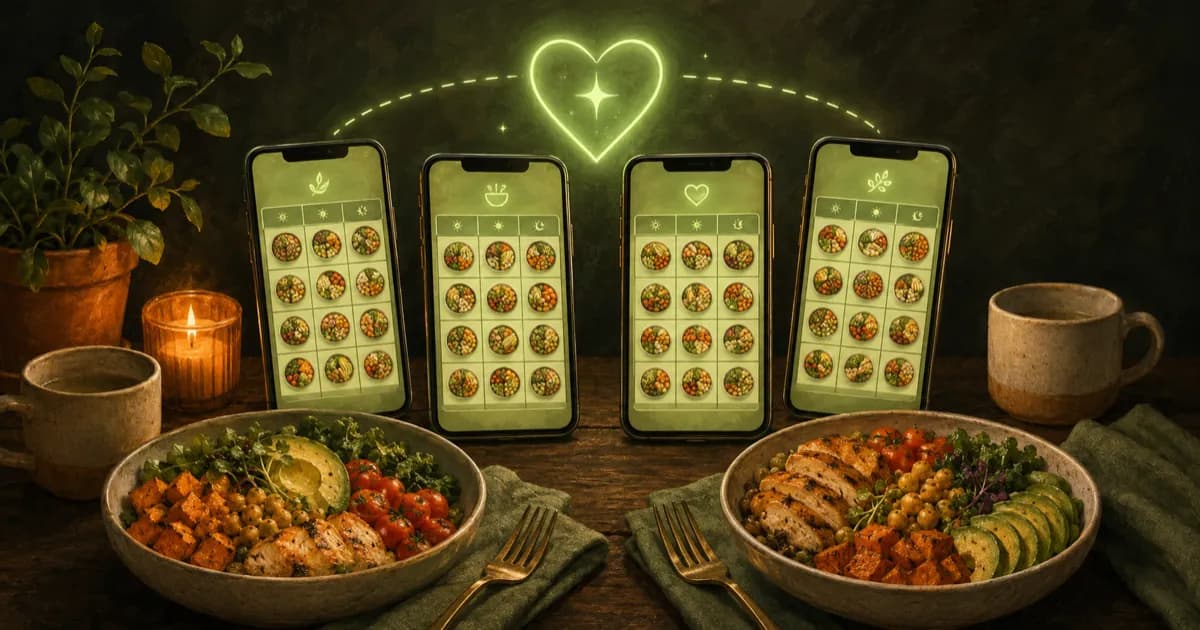
Cooking for two sounds simple until you live it. The hard part is rarely the cooking — it’s the nightly negotiation (“I don’t know, what do you want?”), the fact that you and your partner often have different goals or diets, and the mess of two people adding to one shopping list. A good meal-planning app for couples solves the decision, not just the recipe.
I build a meal app for a living, so I spend a lot of time in the competition. Below is an honest look at the apps that work best for two people in 2026 — including where each one beats the app I make. I’ve grouped them by what a couple actually needs, not by marketing claims.
What makes a meal-planning app good for couples?
Cooking together has needs a solo tracker never has to meet:
- A way to decide together — the single biggest pain point. Can both people weigh in without a 20-minute debate?
- Two diets, one plan — if one of you is keto and the other is vegetarian, can the app respect both at once?
- Two goals, one kitchen — you may be cutting 500 calories while your partner maintains. You should be able to eat the same dinner and still hit different numbers.
- One shared shopping list — both partners add to it, it de-duplicates, and both of you can see it.
- Something that keeps you both going — the app that wins is the one you’re still using in March. Streaks, check-ins and a partner who notices when you skip.
The short answer
- Best for deciding together: Swoodie (swipe on recipes in parallel and match)
- Best recipe organiser for two: Paprika
- Best for fast weeknight dinners: Mealime (closes on October 21, 2026 — see the best Mealime alternatives)
- Best done-for-you weekly plans: eMeals
- Best for dietary needs: PlateJoy (shut down in July 2025 — see what replaces it)
- Best free all-rounder: Samsung Food
If you only want one thing out of this article: in Swoodie, one of you starts the shared features and the other joins free — each plan covers only the person who bought it, and the paid side can be a one-time purchase rather than a subscription.
And one claim here is checkable rather than rhetorical. Across the 47 apps we compare, feature by feature, three criteria are marked no for every single one of them: real-time couples meal matching, multi-person sessions, and paired wellness accountability. That is not “Swoodie does it better” — it is that nobody else does it at all. Everything else on this page is a real trade-off, and we say so where it is.
You don’t have to take that on faith, and you don’t have to install anything to test it. Swipe tonight’s dinner with your partner right in the browser — same mechanic, no account, no app: you both swipe, and the app shows you what you both said yes to. If that five-minute experience doesn’t fix the argument you have most weeknights, nothing further down this page will either.
1. Swoodie — best for deciding together (and dieting together)
Best for: couples who lose the most time to “what do you want?” — especially when one of you is cutting and the other isn’t.
Swoodie is the app I make, so take this section with the appropriate pinch of salt. But it’s the only one here built around the decision, and its pricing works the way couples actually use it: one of you hosts, the other joins free. Each plan is for one person, so the partner who joins pays nothing unless they want premium features of their own.
With Swipe Together, one partner starts a session and shares a four-digit code. You then swipe the same deck at the same time, on your own phones — you and your partner, or up to four of you — and a recipe only matches when you have both said yes. Nobody has to pitch, defend, or veto out loud. Joining is free, and a free partner’s swipes don’t count against their 30-a-day free swipe limit, so the person who didn’t pay never hits a wall mid-session.
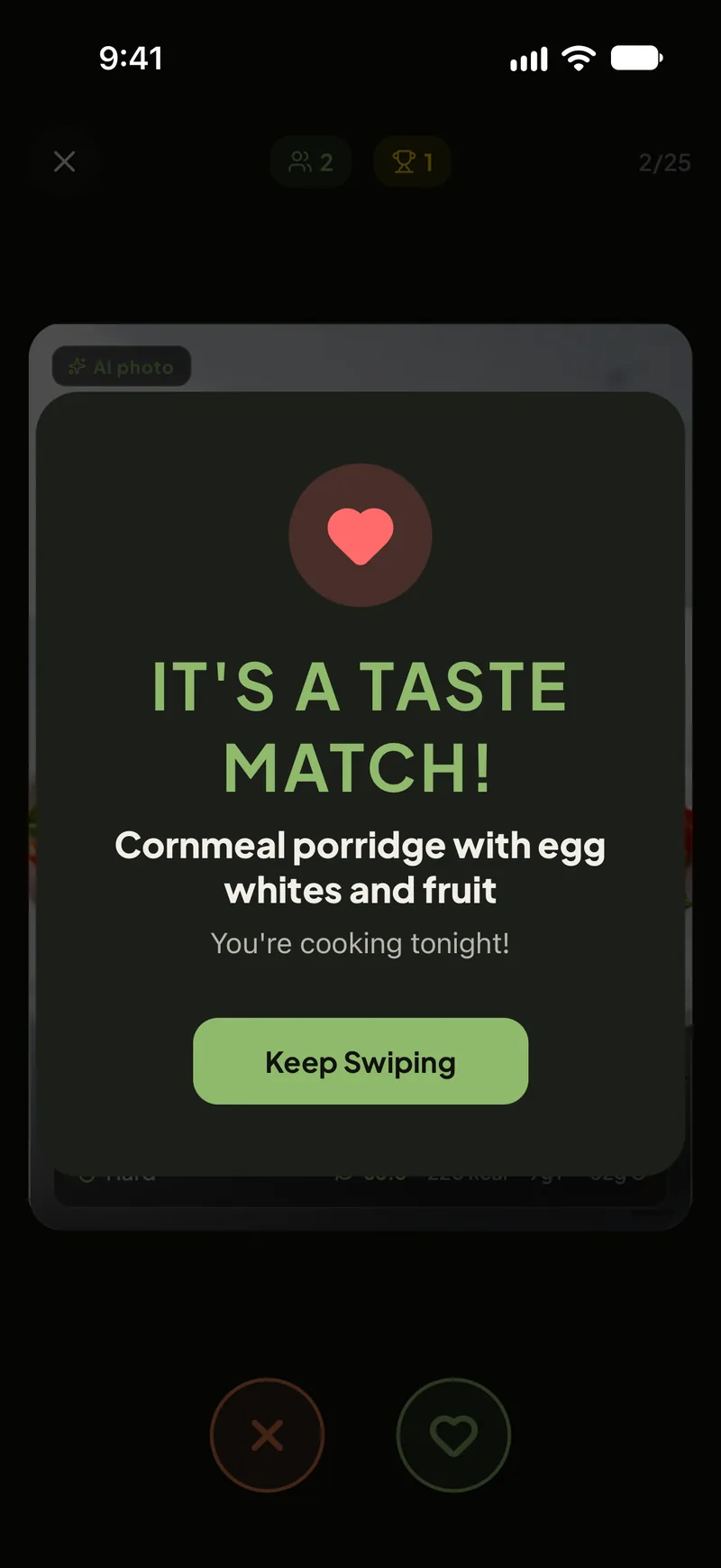
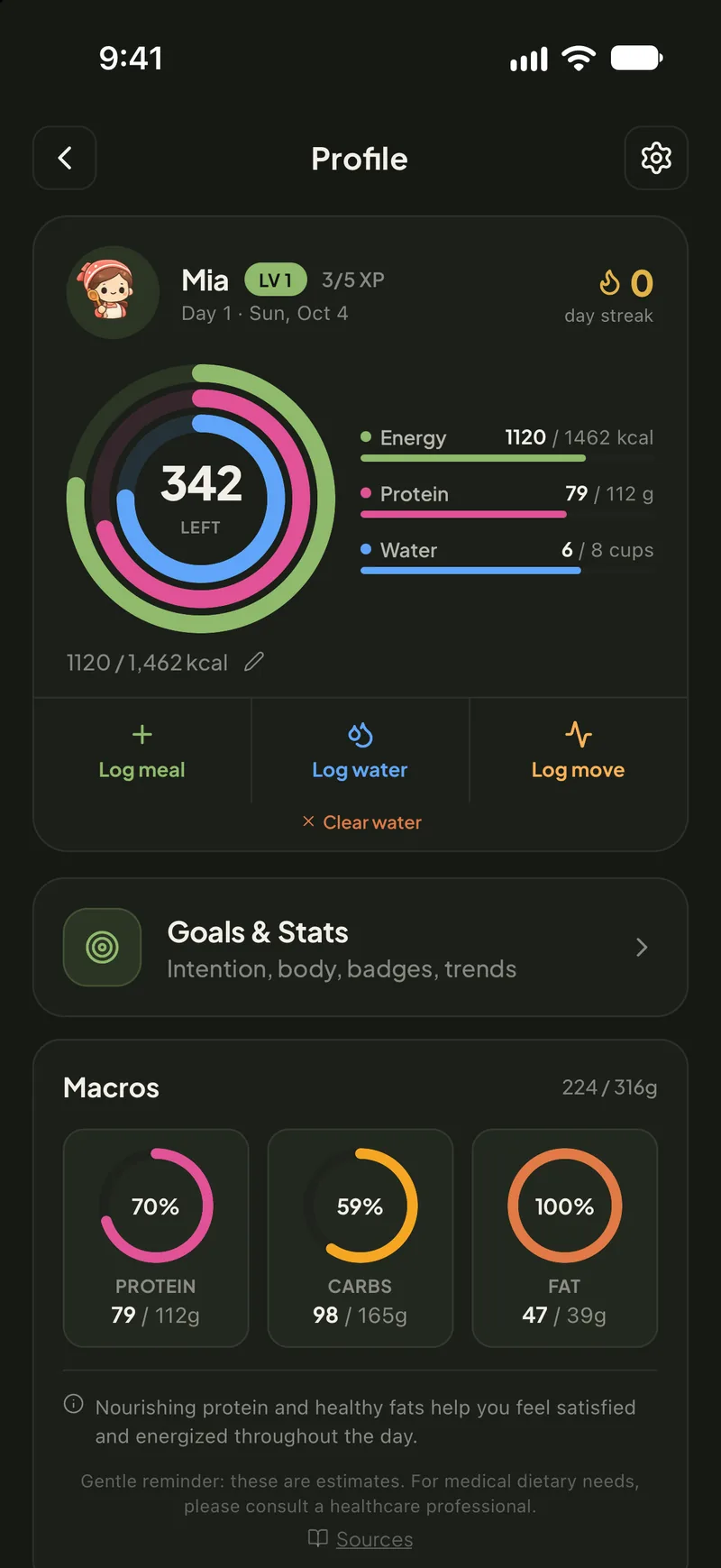
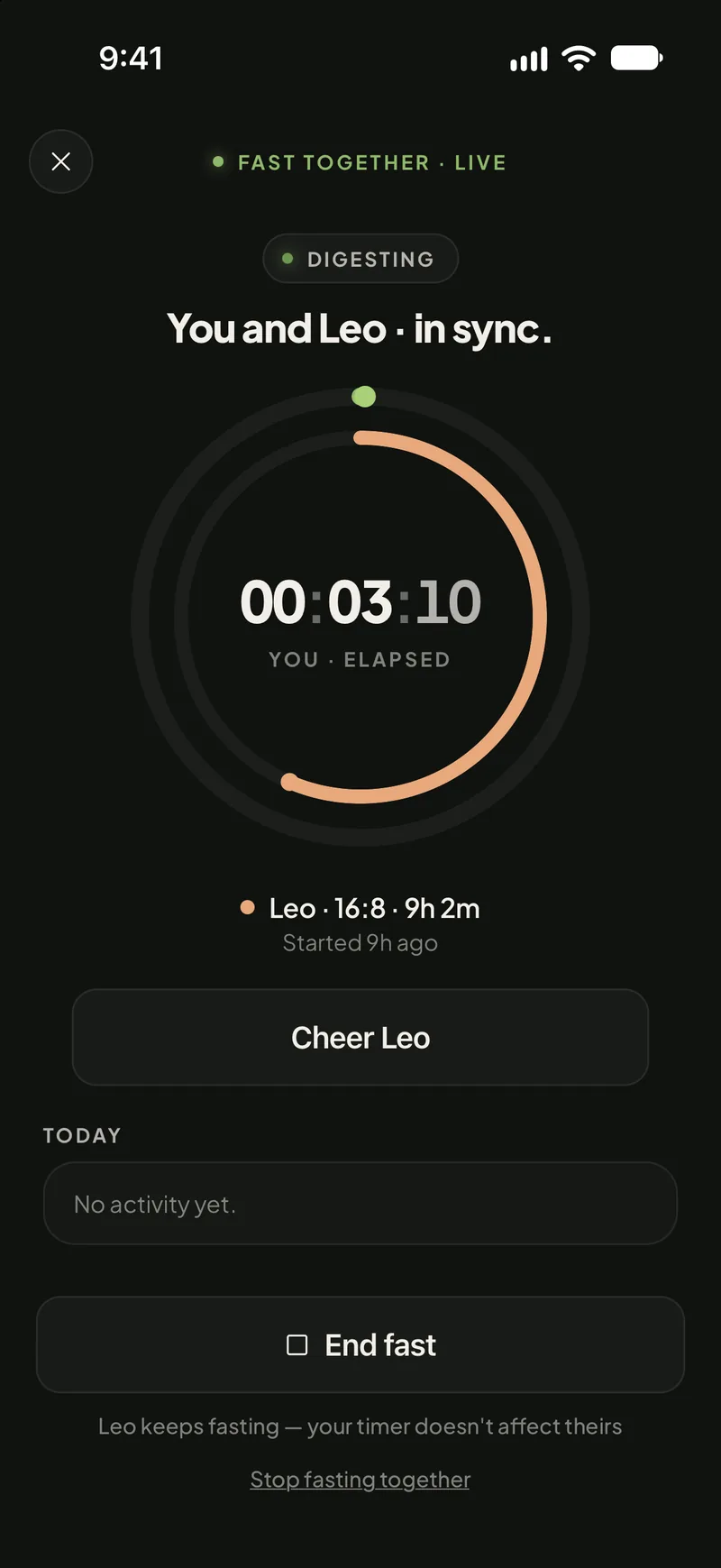
Then it does the part the recipe boxes don’t: each of you tracks your own calories and macros against your own goal, on the free tier. That’s the whole trick to dieting as a couple — you eat the same dinner, you just log it against different targets. Work out each partner’s numbers with the free couples calorie calculator, then let the app hold both. On top of that: scan a plate or a barcode to log it (10 free AI uses, no card), search 3 million+ branded foods by name to log the packaged half of dinner for free, and build a weekly plan with a grocery list. On a paid plan you can also share a Nest, where the shopping list de-duplicates when you both add milk, and Fast Together puts your partner’s fast on your screen while it runs, so you can nudge each other through the hungry hour. You each keep your day a glance away with a home-screen widget, your step trends, streaks and step badges ride along (all Lite or Premium), and a step challenge — including the weekend-only Weekend Warrior — gives you one more thing to needle each other about.
The catch: two of them, honestly. First, someone has to pay to start a session — that’s Swoodie Lite at a one-time $9.99 (the whole app, forever, without the AI features) or Premium from $3.99/week. Second, the shared deck takes into account the allergies participants have saved (always check the ingredients), but the diet type and session settings are the host’s, not a merge of both profiles. So if one of you eats vegetarian or keto, that partner should be the one who starts the session. And if you already know what you’re cooking and just want a tidy recipe box, the swipe-to-decide model is more app than you need.
2. Paprika — best recipe organiser for two
Best for: couples who already collect recipes from the web and want them in one shared, tidy place.
Paprika is a beloved recipe manager: clip a recipe from any site, scale it, plan it onto a calendar, and generate a grocery list that groups by aisle. For couples who cook from their own curated collection, it’s excellent, and its one-time purchase model (rather than a subscription) wins it a lot of fans.
The catch: it doesn’t help you decide — it assumes you already know what you want to cook. There’s no nutrition tracking and no AI recipe generation. See the full Swoodie vs Paprika breakdown.
3. Mealime — best for fast weeknight dinners
Best for: busy couples who want quick, healthy dinners with minimal fuss.
Mealime builds simple meal plans around 30-minute recipes and produces a clean, consolidated shopping list. The free tier is genuinely usable, and it handles dietary preferences and dislikes well, which helps when two people have different tastes.
The catch: it’s built for one profile, so “two diets, one plan” isn’t really its thing, and the deciding still falls on whoever holds the phone. More in Swoodie vs Mealime.
Heads-up: Mealime has announced it will close on October 21, 2026. If you plan with it today, start moving your recipes now — our best Mealime alternatives guide covers where to go.
4. eMeals — best done-for-you weekly plans
Best for: couples who don’t want to plan at all and just want a weekly menu handed to them.
eMeals sends a curated weekly plan in your chosen style (low-carb, Mediterranean, quick & easy, etc.) with a matched shopping list that can connect to grocery delivery. It’s the most “hands-off” option here — great if decision fatigue is your real enemy.
The catch: it’s subscription-only and the menus are one-size-fits-the-plan, so personal macro tracking and per-partner goals aren’t the focus. Compare in Swoodie vs eMeals.
5. PlateJoy — best for specific dietary needs
Best for: couples managing a specific way of eating (keto, low-FODMAP, diabetes-friendly) who want plans tailored to it.
PlateJoy builds personalised plans from a detailed intake quiz and is strong on dietary precision. If health needs drive your kitchen, it’s a thoughtful pick.
The catch: it’s a premium subscription and leans clinical rather than playful — there’s no “let’s both pick something fun tonight” mode. See Swoodie vs PlateJoy.
Heads-up: PlateJoy shut down on 1 July 2025, so you can no longer sign up. Our Mealime vs PlateJoy vs Swoodie breakdown covers what replaces it.
6. Samsung Food — best free all-rounder
Best for: couples who want recipe saving, planning, and a shareable list without paying anything.
Samsung Food (works on any phone, not just Samsung) saves recipes, plans a week, and shares lists, with a generous free tier. It’s a solid no-cost starting point.
The catch: the experience is broad rather than deep, and it isn’t designed around the couple-decision problem specifically. More in Swoodie vs Samsung Food.
How to actually choose
Match the app to your real bottleneck:
- You argue about what to cook → you need a deciding tool, not another recipe box. Start with the swipe-to-match approach.
- You want to lose weight together, not separately → you need per-person targets under one plan. Run both sets of numbers through the couples calorie calculator, then pick an app that lets each of you track your own.
- You already know what to cook, just need organising → Paprika or Samsung Food.
- You want zero planning effort → eMeals.
- You have specific health needs → PlateJoy was the pick, but it shut down in July 2025 — see what replaces it.
- You’re also tracking calories or weight → pick an app that plans and tracks so you’re not juggling two tools.
If you and your partner have different calorie goals, work out each person’s numbers first with our free couples calorie calculator, then choose a plan that lets each of you track against your own target.
Deeper reading
The couples use-case page: meal planning for couples. For the weekly-batch angle: meal prep with Swoodie. And if weight loss is the shared goal: the weight-loss guide. If you’d rather start from a done-for-you week, see our free 7-day diet meal plans. And for the recipe-app angle, compare ReciMe vs Paprika vs Swoodie or the wider best recipe manager apps.
What’s new for two people in 2026
Deciding dinner together was always the point, but the app has grown around it. Two people rarely want the same thing from a meal, and the newer features lean into that rather than flattening it. Each of you sets your own diet-style macro targets — keto, low-carb, high-protein or blood-sugar-friendly — for free, so one of you can cut while the other maintains, from the same shared plan and the same shopping list. Scan a plate and you each get a Blood Sugar Score: a steady, moderate or spiky read estimated from that meal’s carbs and fibre. (An estimate and a tracking signal, not a medical reading.) Coach Ollie gives each of you one short daily observation drawn from what you actually logged, free on every plan. And six Kitchen Tools — unit, oven and air-fryer converters, a recipe scaler, cook times and safe temperatures — are free and work offline, which mostly matters when you’re doubling a recipe for two and your hands are covered in flour. You can try all six free in the browser on the tools page.
Every meal either of you scans by photo also gets a Meal Report Card— a grade plus a score card you can share in a tap. Between two people it works as a nudge rather than a scoreboard: sharing is a choice, and the meals worth sharing tend to be the ones you actually cooked.
Fast Together shows you your partner’s fast as it runs if that’s your thing, Nest keeps one household’s recipes and plan in sync, and Quick Add makes logging fast enough that the person who hates logging might actually keep doing it.
If you take one thing from this page, make it this: the app you want is the one that ends the nightly negotiation, not the one with the biggest recipe library. Swipe Together is the only mechanic here built for that, one of you hosts and the other joins free (each plan is for one person), and you can feel the whole thing in five minutes without installing anything — swipe dinner in the browser, or build a free plan for the two of you. When you’re ready, Swoodie is free to start on iOS or Google Play — no account needed, and Premium is free for 7 days on the yearly plan. Prefer to pay once? Swoodie Lite is a one-time $9.99.
Frequently asked questions
What is the best meal-planning app for couples in 2026?
It depends on your bottleneck. If you waste the most time deciding what to cook, Swoodie is the pick because both partners swipe on recipes and get matched on dishes you both want. If you already know what to cook and just want it organised, Paprika or Samsung Food are stronger; eMeals is best if you want a weekly menu handed to you with no planning effort.
Can my partner and I use the same meal-planning app with different diets?
Yes, but most apps assume a single profile. Swoodie is built for two: each person tracks their own calories and macros against their own goal, even on the free tier, so you can share a dinner and still hit different numbers. When you run a Swipe Together session, the shared recipe deck follows the diet filters of whoever started it — so if one of you is vegetarian or keto, that partner should host. It also takes into account the allergies participants have saved, but always check the ingredients.
Is there a free meal-planning app for couples?
Yes. Samsung Food and Mealime (until it closes on October 21, 2026) have genuinely usable free tiers. Swoodie is free to start with no account needed — you can track calories and macros, browse a library of thousands of recipes (Premium opens the full 8,000+), and join a Swipe Together session for free, without it touching your daily free swipe limit. The partner who starts the session needs a paid plan, which can be a one-time $9.99 (Swoodie Lite) rather than a subscription. Paprika is a one-time purchase; eMeals and PlateJoy are subscription-only.
How do couples decide what to cook without arguing?
The fix is a system, not willpower. Instead of negotiating out loud, both people swipe through recipes separately and then choose only from the dishes you both already liked. Swoodie's Swipe Together mode is built around exactly this. One tip: the session uses the diet filters of the partner who starts it, so whoever has the stricter diet should be the one to open the session. It also takes into account the allergies participants have saved, but always check the ingredients.
Do both partners need to pay for a couples meal-planning app?
In Swoodie, only for features you want on your own account. One partner needs a paid plan to start a Swipe Together session or a shared Nest; the other joins free, and a free partner's swipes don't count against their daily free swipe limit. The paid side can be Swoodie Lite, a one-time $9.99 purchase rather than a subscription. Each plan covers only the person who bought it, so a partner who wants Lite or Premium features on their own phone buys their own plan. When comparing any other app, the question worth asking is whether the second person needs their own paid seat.
Can couples with different calorie goals share one meal plan?
Yes, and that's the normal case — one partner cutting, one maintaining. Work out each person's number with a couples calorie calculator, then use an app that stores a target per person rather than per household. In Swoodie both partners keep their own calorie and macro targets on the free tier, so the same dinner can be logged against two different goals.
How can my partner and I diet together without cooking two separate meals?
Cook one dish and change the portion, not the recipe. Agree the meal first (swiping and matching removes the argument), then let each person log their own portion against their own calorie and macro target. Fasting couples can go further and line their eating windows up so you're hungry at the same time.
Written by
Daniel
Founder of Swoodie
Hi, I'm Daniel — the person behind Swoodie. I'm based in Poland and have been working on Swoodie solo since January 2026. I write about nutrition tracking, intermittent fasting, recipe planning, and cooking together with a partner — everything tested in my own kitchen with the app I'm building.
Related articles
Best Free Meal Planner Apps in 2026 (That Are Actually Free)
9 min read
An honest roundup of the best free meal planner apps in 2026 — which ones let you plan a week without paying, where the free tier really ends, and how Swoodie's new free build-your-own planner compares.
Eat This Much vs Plan to Eat vs Swoodie (2026): Which Meal Planner Wins?
8 min read
Eat This Much auto-builds plans, Plan to Eat organizes the ones you choose, and Swoodie does both — with a free build-your-own planner and calorie tracking. An honest 2026 comparison.
Paprika vs Mela vs Crouton vs Swoodie 2026: The Best Recipe Manager App?
8 min read
Paprika, Mela, and Crouton are the best-loved recipe managers of 2026 — beautiful, one-time-ish, and built to file recipes you find. Here's how they compare, and where Swoodie's recipes-plus-tracking model fits.
Noom vs WeightWatchers vs Swoodie 2026: Which Weight-Loss App Is Worth It?
9 min read
Noom, WeightWatchers, and Swoodie compared in 2026: real prices, Points vs macros, AI photo scanning, coaching, recipes, and couples features. Honest verdict by use case.