How to Set Your Macros for Any Diet (Keto, Low-Carb, High-Protein)
By Daniel · · 8 min read
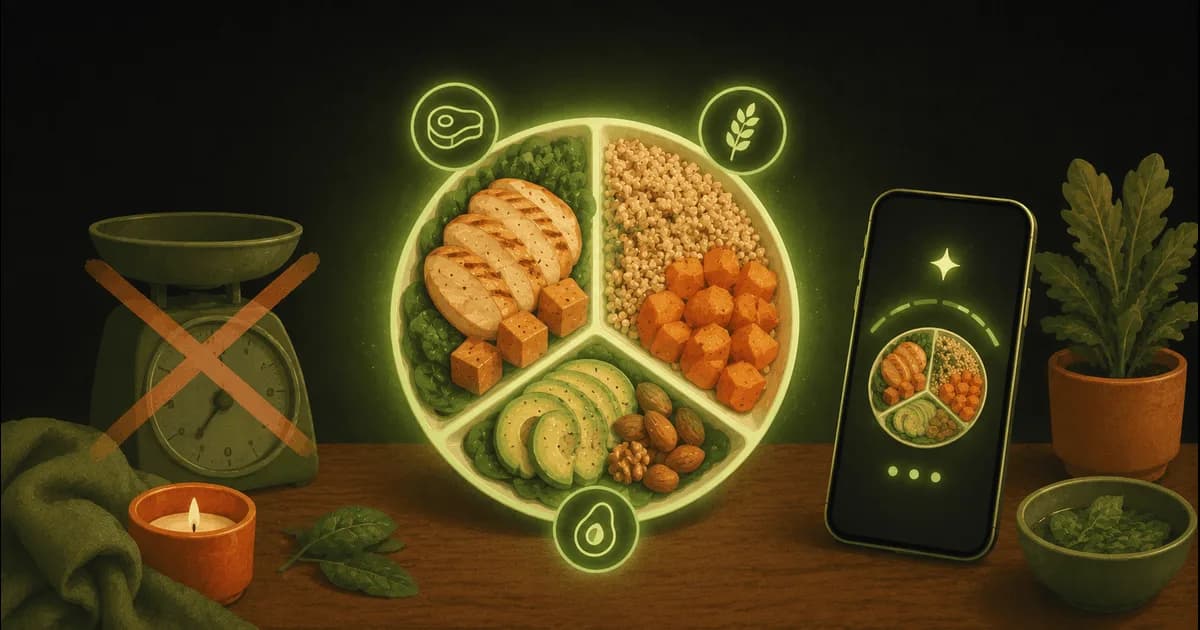
Counting calories tells you how much to eat. Setting your macros — protein, carbs and fat — tells you what that food should be made of. Same 2,000 calories can be a keto day or a high-carb one; the split is what makes a diet a diet. This guide walks through picking a split for your goal, turning it into gram targets, and tracking against them without a spreadsheet.
The three macros, quickly
- Protein — 4 calories per gram. Builds and protects muscle, keeps you full. The one most people should raise.
- Carbohydrate — 4 calories per gram. Your quickest energy; the macro keto and low-carb diets pull down.
- Fat — 9 calories per gram. Energy-dense and satiating; the macro keto pushes up.
A macro target is just a percentage of your daily calories assigned to each of these, then converted into grams so you can actually hit it.
Step 1 — set your calories first
Macros are a slice of your calorie budget, so start there. Your maintenance number comes from your body stats, activity and goal, then you add or subtract to lose or gain. Our free TDEE Calculator gives you a maintenance figure and a goal-adjusted daily calorie target in a minute. Lock that number before you split it.
Step 2 — pick a split for your goal
These are sensible starting points, not laws — adjust once you see how you feel and perform:
- Balanced (general health): ~30% protein / 40% carbs / 30% fat. A safe default that suits most people.
- High-protein (muscle gain or fat loss): ~40% protein / 30% carbs / 30% fat. Protein high to hold muscle in a deficit or build it in a surplus.
- Low-carb: ~35% protein / 20% carbs / 45% fat. Carbs down without going full keto.
- Keto: ~25% protein / 5% carbs / 70% fat — usually capped at 20–50g net carbs a day rather than a percentage. Fat becomes your main fuel.
A quick rule that survives any split: set protein first. A common target is roughly 1.6–2.2g of protein per kg of bodyweight; our Protein Intake Calculator pins that for your weight and goal. Fill the rest of the budget with carbs and fat in whatever ratio your diet calls for.
Step 3 — turn percentages into grams
Grams are what you actually track, so convert once. Divide each macro’s share of your calories by its calories-per-gram (protein and carbs 4, fat 9). Worked example on a 2,000-calorie high-protein day (40/30/30):
- Protein: 40% of 2,000 = 800 cal ÷ 4 = 200g
- Carbs: 30% of 2,000 = 600 cal ÷ 4 = 150g
- Fat: 30% of 2,000 = 600 cal ÷ 9 = ~67g
Rather not do the arithmetic? The free Macro Calculator outputs gram targets for any goal and split, and the Keto Macro Calculator handles the net-carb-capped keto version. For keto especially, track net carbs (total carbs minus fibre and some sugar alcohols) — the Net Carb Calculator converts any label for you.
Step 4 — track against your targets (the part that actually works)
Targets only help if hitting them is easy to see. This is where an app beats a note on your phone: log a meal, watch each macro fill toward its goal, and see at a glance how that meal stacked up against your targets, so you know at lunch whether you’ve room for carbs at dinner.
In Swoodie, you don’t have to key the numbers in at all. The new diet-style macros let you pick keto, low-carb, high-protein or blood-sugar-friendly, and Swoodie reshapes your protein, carb and fat targets to match — the split from Step 2, done for you and free on every plan. Already know your exact grams from the calculator? Custom macro targets (Premium) let you type your own protein, carb and fat numbers and track every meal against them. Either way, logging is fast — photo, barcode, text, or Quick Add for fast manual calorie & macro logging.
Common macro mistakes
- Chasing the split before the calories. Percentages of the wrong calorie budget still miss your goal. Calories first, split second.
- Setting protein too low. It’s the macro that protects muscle and satiety — most people benefit from more, not less.
- Counting total carbs on keto. Keto runs on net carbs; using total makes the target far harder than it needs to be.
- Treating the numbers as sacred. They’re a starting draft. Adjust after a week or two based on energy, hunger and results.
Go deeper
Eating low-carb specifically? See our roundup of the best keto & low-carb apps, or the keto guide and muscle-gain guide for how targets change by goal. All the calculators live in one place: free nutrition tools.
This is general information, not medical or dietary advice. Individual needs vary — check with a doctor or registered dietitian before making big changes, especially if you have a health condition or take medication.
Setting macros is three numbers and a habit: calories, a split, and a way to see them fill. Let Swoodie handle the last part — download on iOS or Google Play, pick your diet style, and your targets are set. Cooking for two? Each partner sets their own diet-style targets, while you still plan and Swipe Together on shared meals. Or build a free personalized plan in 3 minutes to get your numbers first.
Frequently asked questions
How do I calculate my macros?
Three steps: set your daily calories from your body stats, activity and goal; pick a split (the share of calories going to protein, carbs and fat) that matches your diet; then convert each share to grams by dividing its calories by 4 for protein, 4 for carbs and 9 for fat. A free Macro Calculator does the arithmetic for any goal and split.
What is a good macro split for keto?
Keto is roughly 5% carbs / 25% protein / 70% fat, but it's easier to run it as a hard cap of 20–50g net carbs a day, set protein for your bodyweight, and let fat fill the rest of your calories. A dedicated Keto Macro Calculator handles the net-carb-capped version.
What macros should I set for weight loss or muscle?
For both, set protein first — around 1.6–2.2g per kg of bodyweight — to hold muscle in a deficit or build it in a surplus. A high-protein split of about 40% protein / 30% carbs / 30% fat is a solid starting point; adjust the carb-to-fat balance to preference.
Should I count net or total carbs?
For keto and low-carb, count net carbs (total minus fibre and some sugar alcohols), because that's the number the diet is built around. For a balanced or high-protein split it matters less — total carbs are fine.
Do I have to do the macro maths myself?
No. Free calculators output your gram targets, and an app can hold them for you. In Swoodie, diet-style macros let you pick keto, low-carb or high-protein and it reshapes the split automatically (free), or custom macro targets let you type your own grams (Lite or Premium) — then every meal you log tracks against them.
Written by
Daniel
Founder of Swoodie
Hi, I'm Daniel — the person behind Swoodie. I'm based in Poland and have been working on Swoodie solo since January 2026. I write about nutrition tracking, intermittent fasting, recipe planning, and cooking together with a partner — everything tested in my own kitchen with the app I'm building.
Related articles
How to Calculate Your Calorie Deficit: The Formula in Plain English
9 min read
What a calorie deficit is, the formula behind it, and how to work out yours step by step — plus how big it should be, why the 3,500-calorie rule overshoots, and the mistakes that quietly close it.
Which Calorie Trackers Let You Export Your Data? (2026)
9 min read
Most calorie apps do let you export — so the real questions are which tier the export sits in, and whose copy you are getting. An honest look at Cronometer, MyFitnessPal, MacroFactor, Yazio and Swoodie.
Best Keto & Low-Carb Apps (2026): Track Net Carbs and Decide Dinner
9 min read
The best keto and low-carb apps in 2026 — Carb Manager, Swoodie, Cronometer, MacroFactor, MyFitnessPal and Lifesum — ranked by net-carb tracking, macro control, and whether they actually help you decide what to cook.
Glycemic Load Explained: How to Read a Meal's Blood-Sugar Impact
8 min read
Glycemic load vs glycemic index, in plain English: what GL means, why it's more useful than GI alone, what raises or lowers a meal's glycemic load, and how to see it when you track your food.