Glycemic Load Explained: How to Read a Meal's Blood-Sugar Impact
By Daniel · · 8 min read
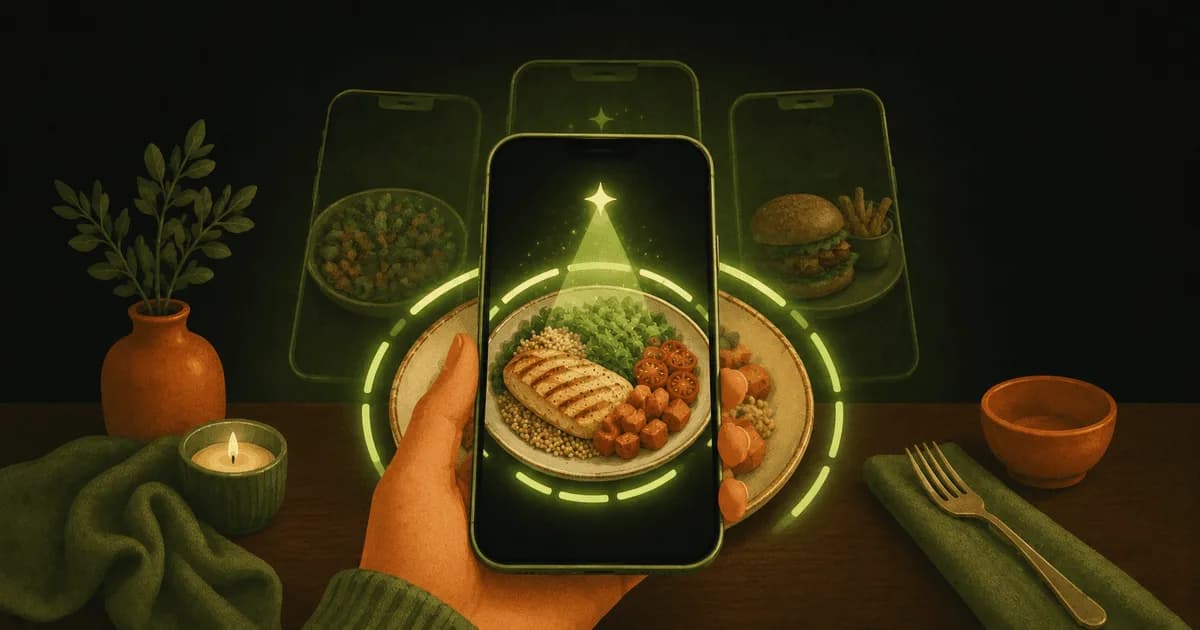
If you’ve ever wondered why a spoon of honey and a bowl of watermelon can rank the same on a “high-sugar” chart despite being wildly different amounts of food, you’ve bumped into the gap that glycemic load fills. It’s the more practical of the two blood-sugar numbers, and once it clicks, food labels read differently. Here’s what it means and how to use it — as general nutrition information, not medical advice.
Glycemic index: a useful idea with a flaw
The glycemic index (GI) ranks a carbohydrate food from 0–100 by how quickly it tends to raise blood sugar compared with pure glucose. White bread and cornflakes sit high; lentils and most non-starchy vegetables sit low. It’s a genuinely useful concept — but it has one big blind spot: it ignores how much you actually eat. GI is measured on a fixed 50g of available carbohydrate, which for something like watermelon means a dinner-plate portion no one eats in one sitting. Judge watermelon by GI alone and it looks alarming; in a normal serving it barely moves the needle.
Glycemic load: GI adjusted for the real portion
Glycemic load (GL) fixes that by folding in the portion. The formula is simple:
GL = (GI × grams of carbohydrate per serving) ÷ 100.
So a food’s glycemic load depends on both how fast its carbs hit and how many carbs are on your plate. A common reference: a GL of 10 or under per serving is considered low, 11–19 medium, and 20 or more high. Watermelon has a high GI (~72) but only about 6g of carbs in a typical wedge — GL of roughly 4, low. That’s why GL is the number most people find more practical day to day: it describes the meal in front of you, not a lab portion.
What raises or lowers a meal’s glycemic load
You have more control over GL than GI, because you control the plate. In general terms:
- Portion size is the biggest lever — halve the carbs, roughly halve the GL.
- Fibre tends to slow digestion, so whole, less-processed carbs usually land lower than refined ones.
- Fat and protein alongside carbs tend to blunt the rise — the same rice hits differently next to chicken and vegetables than on its own.
- Processing and cooking matter — finely milled, very soft or very ripe foods often rank higher than their coarser, firmer versions.
None of this is a rulebook — it’s a set of tendencies. If you want to eat with blood sugar in mind, the practical move is to notice a meal’s overall glycemic load rather than banning single foods.
How to actually see a meal’s glycemic load
Calculating GL by hand for a whole plate is tedious, which is why most people never do it. This is where tracking helps: Swoodie Scan now shows an estimated Glycemic Load next to a scanned meal’s calories and macros — a quick read on how much that plate is likely to affect your blood sugar, right in your food log, and every scan also gets a free health score, so you see the meal’s overall quality at a glance. It’s a nutrition signal to help you compare meals, not a diagnosis or a medical reading. Pair it with net carbs (total carbs minus fibre), and you get a fuller picture than calories alone — our free Net Carb Calculator converts any label if you want to check by hand.
Simple lower-GL swaps
If you’re aiming for a lower overall glycemic load, small trades usually do more than strict rules:
- Swap some refined grains for whole ones, or shrink the portion and add vegetables.
- Pair carbs with protein and fat rather than eating them alone.
- Lean on legumes, non-starchy vegetables and intact grains, which tend to land lower.
- Watch liquid sugars — drinks raise GL fast because the carbs arrive with little to slow them. Scan a packaged drink or snack and its free Product Check score (0–100) flags the higher-sugar ones before you buy.
Go deeper
Want the apps that make blood-sugar-aware eating easier to track? See our roundup of the best apps for blood-sugar-friendly eating. To turn this into daily targets, how to set your macros covers low-carb and keto splits, and the diabetes and PCOS guides show how people use Swoodie’s tracking alongside their own plan. Calculators: Net Carb and Keto Macro. Eating this way with a partner? You can both track Glycemic Load and plan lower-GL meals together with Swipe Together.
This article is general nutrition information, not medical advice, and glycemic load is a tracking signal, not a diagnosis. It isn’t a treatment for diabetes, PCOS, insulin resistance or any condition. If you’re managing your blood sugar for a health reason, your doctor or dietitian is the right source for targets and decisions; Swoodie is a food-tracking tool, not a medical device.
Glycemic load is the number that turns “is this food bad?” into the more useful “how does this plate land?” See it on your own meals — download Swoodie on iOS or Google Play and scan your next meal, or build a free personalized plan in 3 minutes first.
Frequently asked questions
What is glycemic load?
Glycemic load (GL) estimates how much a serving of food is likely to raise blood sugar, combining how fast its carbs digest (glycemic index) with how many carbs are actually in that serving. The formula is GL = (GI × grams of carbohydrate per serving) ÷ 100. It's a general nutrition metric, not a medical reading.
What is the difference between glycemic index and glycemic load?
Glycemic index (GI) ranks a carb food 0–100 by how quickly it raises blood sugar, but always for a fixed 50g of carbohydrate — it ignores portion size. Glycemic load folds the real portion back in, so it describes the plate you're actually eating. That's why GL is usually the more practical number: high-GI watermelon has a low glycemic load in a normal serving.
What is a low glycemic load?
A common reference is a glycemic load of 10 or under per serving being low, 11–19 medium, and 20 or more high. These are general guidelines for comparing foods, not personal targets — if you're watching blood sugar for a health reason, your doctor or dietitian sets the targets that apply to you.
How do I lower a meal's glycemic load?
In general terms: reduce the portion of carbs (the biggest lever), choose whole, higher-fibre carbs over refined ones, and pair carbs with protein and fat rather than eating them alone. These are tendencies, not rules — the practical move is watching a meal's overall glycemic load rather than banning single foods.
Can I track glycemic load in an app?
Yes. Swoodie Scan estimates a meal's Glycemic Load next to its calories and macros when you log it — a quick read on its likely blood-sugar impact. Scans use AI: every plan gets 10 free tries, then scanning is unlimited with Premium. It's a nutrition signal to help you compare meals, not a diagnosis or a substitute for a glucose monitor or medical advice.
Written by
Daniel
Founder of Swoodie
Hi, I'm Daniel — the person behind Swoodie. I'm based in Poland and have been working on Swoodie solo since January 2026. I write about nutrition tracking, intermittent fasting, recipe planning, and cooking together with a partner — everything tested in my own kitchen with the app I'm building.
Related articles
How to Calculate Your Calorie Deficit: The Formula in Plain English
9 min read
What a calorie deficit is, the formula behind it, and how to work out yours step by step — plus how big it should be, why the 3,500-calorie rule overshoots, and the mistakes that quietly close it.
Which Calorie Trackers Let You Export Your Data? (2026)
9 min read
Most calorie apps do let you export — so the real questions are which tier the export sits in, and whose copy you are getting. An honest look at Cronometer, MyFitnessPal, MacroFactor, Yazio and Swoodie.
Best Keto & Low-Carb Apps (2026): Track Net Carbs and Decide Dinner
9 min read
The best keto and low-carb apps in 2026 — Carb Manager, Swoodie, Cronometer, MacroFactor, MyFitnessPal and Lifesum — ranked by net-carb tracking, macro control, and whether they actually help you decide what to cook.
How to Set Your Macros for Any Diet (Keto, Low-Carb, High-Protein)
8 min read
A plain-English guide to setting your macros in 2026: what protein, carbs and fat targets to pick for keto, low-carb, high-protein or balanced eating, how to turn percentages into grams, and how to track them.