How to Save Recipes from TikTok, Instagram & YouTube (2026)
By Daniel · · 7 min read
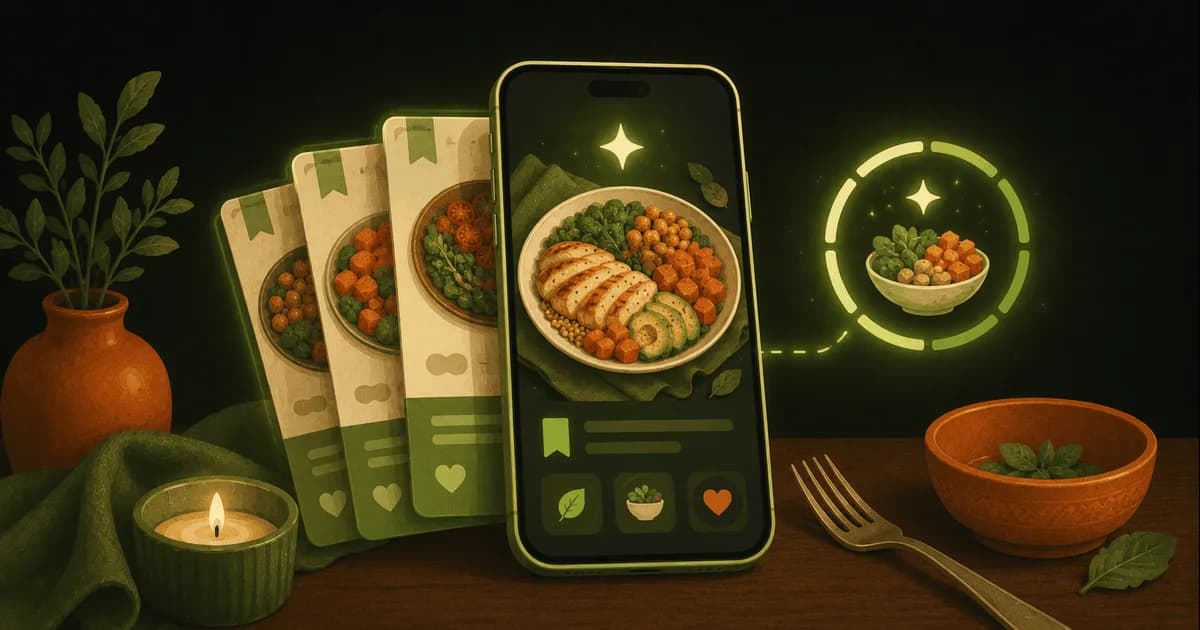
You’re scrolling, a recipe video stops your thumb, you tap Save — and that’s the last you ever see of it. Three weeks later it’s buried in a folder of 400 other saves, with no ingredient list, no steps, and no realistic way to cook it.
Saving a recipe from TikTok, Instagram or YouTube is easy. Getting it back as something you can actually shop for and cook from is the hard part. Here are the four ways people do it, ranked by how little work they leave you with.
Where saved recipes go to die
Every platform gives you a one-tap save, and every one of them is a dead end for actual cooking:
- TikTok favorites — a wall of thumbnails you have to re-watch to remember what was in them.
- Instagram collections — tidy, but the recipe still lives in the caption, if the creator wrote it out at all.
- YouTube “Watch later” — now you’re scrubbing a 12-minute video to find the quantities.
- The screenshot graveyard — a camera roll full of blurry stills you’ll never open again.
None of them give you an ingredient list you can shop from or steps you can cook from. That’s the gap the methods below close.
The 4 ways to save a recipe from a video
From most manual to most automatic — and whether each one leaves you with a recipe you can actually use:
| Method | Effort | Full recipe? | Tracks macros? |
|---|---|---|---|
| Screenshot folder | Low | No — just an image | No |
| In-app Save / Collection | Low | No — trapped in the app | No |
| Recipe organizer (Paprika) | Medium | Yes — you clip or paste | No |
| Recipe importer (ReciMe, Pestle) | Low | Yes — auto from a link | No |
| Paste a link (Swoodie) | Low | Yes — structured | Yes — photo & barcode |
The first two aren’t really saving the recipe — they’re bookmarking the video. The real choice is between an organizer you fill in yourself and an importer that does it for you.
Paste a link, get a real recipe
The fastest route is an app that turns a link into a recipe for you. Paste a TikTok, YouTube or web link into Swoodie. For YouTube and recipe blogs, it pulls the ingredients and method straight into a clean recipe card. For Instagram and caption-light TikToks, paste the caption and Swoodie structures it — and the original video is always saved, so you can rewatch any time.
Once it’s a card it behaves like any other saved recipe: searchable, taggable, and ready to cook from.
Try it free — paste your first link on iOS or Google Play. Saving recipes and basic tracking are free with no account; AI link-import is free for your first 5 saves, and Premium removes the cap so your library can grow without limits.
What to do once the recipe’s actually saved
Importing is step one. The reason to keep saved recipes in a tracking app rather than a screenshot folder is everything that comes after:
- Cook hands-free. A read-aloud cooking mode walks you through the steps so you’re not poking a greasy screen.
- Plan with it. Drop saved recipes into the weekly meal planner (Premium) and it rolls every ingredient into one shopping list.
- Track it. Because the ingredients are structured, that TikTok dinner logs its calories and macros like anything else — by photo or barcode — so your recipes and your nutrition live in one place.
- Decide together. Swipe Together lets you and your partner swipe your saved recipes from the Recipe Vault and surfaces the matches.
That last point is the difference between a recipe organizer and a recipe and nutrition app. Pure organizers like Paprika and ReciMe save the recipe beautifully but stop there; the best recipe manager apps breakdown covers how they compare.
So which should you use?
- Just want the video bookmarked: the platform’s own Save is fine — accept you’ll re-watch it later.
- Want a tidy, buy-once cookbook: Paprika.
- Mostly importing from TikTok/Instagram and you also want it tracked and planned: Swoodie.
- Pure importer with no tracking: ReciMe or Pestle.
- Want the recipe and the calories and meal plan in one app: Swoodie.
- Want to buy once but keep tracking and couples mode: Swoodie Lite — $9.99, everything except the AI features.
Stop losing recipes to the Saved tab. With Swoodie, the video you liked at lunch becomes tonight’s dinner — saved for good, cooked hands-free, and counted toward your goals.
Download Swoodie on iOS or Google Play and turn your first saved video into a real recipe in under a minute.
Frequently asked questions
How do I save a recipe from a TikTok video?
Tapping Save in TikTok only bookmarks the video — you still have to re-watch it to cook. To save the actual recipe, paste the link into an app that imports it. For YouTube and recipe blogs, Swoodie pulls the ingredients and steps into a recipe card automatically; for Instagram and caption-light TikToks you paste the caption and Swoodie structures it. Either way the original video is saved too, so you can rewatch and cook from it. Reading the recipe out uses AI: 10 free tries on any plan, then Premium.
Can I get the ingredient list out of an Instagram or YouTube recipe?
It depends on the source. For a YouTube link or a recipe blog, Swoodie reads the page and pulls the ingredients and method into a structured recipe automatically. Instagram blocks that, so you paste the caption instead and Swoodie organizes it into a clean ingredient list — either way you end up with something you can shop and cook from, not a caption you copy by hand. In Swoodie that step uses AI (10 free tries on any plan, then Premium). Dedicated importers like ReciMe work the same way.
What is the best app to save recipes from TikTok and Instagram?
ReciMe and Pestle are excellent dedicated importers. If you also want the saved recipe to count toward your calories and macros — and to feed a weekly meal plan and one shopping list — Swoodie is the one that imports from a link and tracks nutrition in the same app. Paprika is best if you just want a buy-once, offline cookbook.
Is there a free way to save recipes from social media?
Yes, but most free options leave you without a usable recipe — screenshots and the in-app Save buttons just bookmark the video. For a free structured save, Swoodie's recipe saving and basic tracking are free with no account: Recipe Vault keeps 5 recipes on the free plan, and Swoodie Lite or Premium removes that cap. Reading a recipe out of a link uses AI — 10 free tries on any plan, then Premium. ReciMe also offers a small free import allowance each week.
Written by
Daniel
Founder of Swoodie
Hi, I'm Daniel — the person behind Swoodie. I'm based in Poland and have been working on Swoodie solo since January 2026. I write about nutrition tracking, intermittent fasting, recipe planning, and cooking together with a partner — everything tested in my own kitchen with the app I'm building.
Related articles
Samsung Food vs Paprika vs Swoodie (2026): Free, Buy-Once, or All-in-One?
8 min read
An honest 2026 comparison of Samsung Food, Paprika, and Swoodie — recipe library, meal planning, calorie tracking, price, and vendor lock-in. Which recipe app fits how you actually cook?
Free 7-Day Diet Meal Plans: Keto, High-Protein, Paleo & More (2026)
7 min read
A free guide to ready-made 7-day diet meal plans — keto, high-protein, vegan, Mediterranean, paleo and more — how to use one, and how to tweak it to taste and auto-build a shopping list.
Best Recipe Manager Apps in 2026: Paprika vs ReciMe vs Crouton vs Pestle vs Swoodie
9 min read
An honest roundup of the best recipe manager and organizer apps for 2026 — Paprika, ReciMe, Crouton, Pestle and Swoodie — compared on importing, meal planning, pricing, and which one also tracks what you actually eat.
How Much Protein to Build Muscle in 2026 (A Practical Guide)
8 min read
How much protein you really need to build muscle, how to spread it across the day, the best protein sources, and how to hit your target without weighing every meal.