Lose It! vs MacroFactor vs Swoodie 2026: Which Calorie Tracker Is Worth It?
By Daniel · · 8 min read
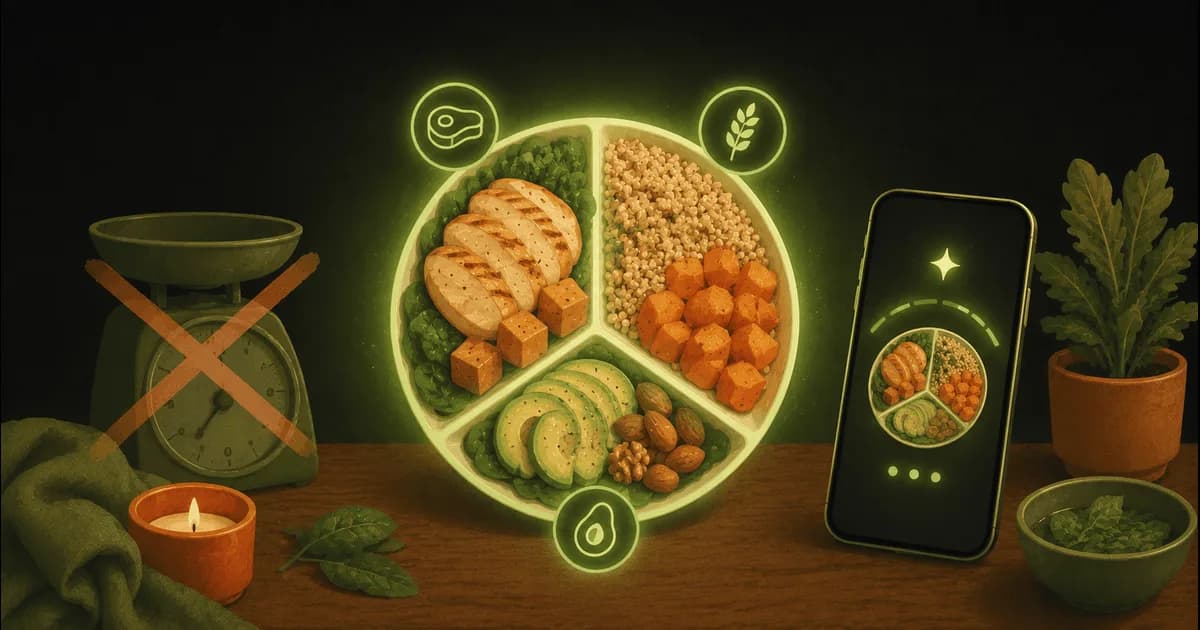
Lose It! and MacroFactor sit at opposite ends of the serious-tracker spectrum: one is the dependable logger that has barely changed in a decade (a compliment), the other is the data nerd’s adaptive coach that recalculates your targets every week. People comparing the two usually care about results, not app collecting — which is exactly why Swoodie, the tracker that also cooks, belongs in the conversation.
This is the honest three-way: what each app is actually for, what the free tiers really give you, where the adaptive-coaching hype is justified, and which fits how you eat.
The 60-second verdict
- Pick Lose It! if you want simple, proven calorie and weight logging with a usable free tier, and you have years of history in the app already.
- Pick MacroFactor if you’re a data-driven lifter and weekly adaptive target tuning is the one feature you can’t live without — and you’re fine paying ~$71.99/year with no free tier. If you’re not sure it’s worth double the price, Swoodie’s free tier and 10 free scans let you test-drive tracking before you spend anything.
- Pick Swoodie if you want tracking plus the kitchen — AI photo logging, recipes, meal planning, couples features — for $59.99/year, $20 a year more than Lose It! Premium for the whole kitchen side on top of the logging.
How we compared them
Every price and feature below comes from each app’s own listing and published pricing, verified in May 2026. We weighted what the free tier actually gives you, the total cost over two years, and what the app does for you outside the logging moment — because logging is maybe five minutes of your food day.
What you’re actually buying
- Lose It! is a logger, refined: weight tracking, a large food database, simple goals. It does the basics dependably and doesn’t pretend to be more — though the barcode scanner has moved into Premium for new sign-ups.
- MacroFactor is an algorithm with a logger attached: it reads your real weight trend and intake, then re-tunes your calorie and macro targets every week without judgement.
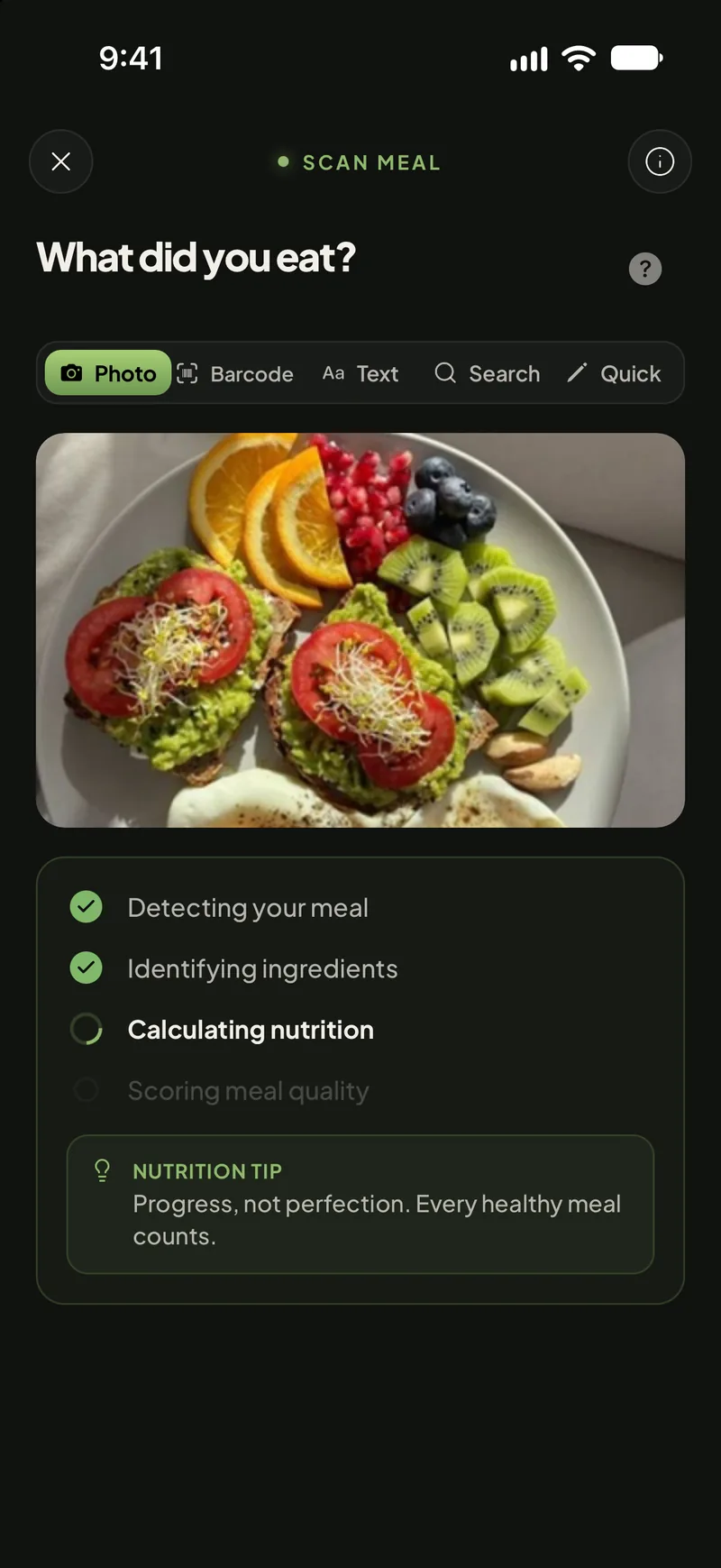
- Swoodie is a food app around a tracker: photo, voice, text and barcode logging with real macros, plus an 8,000+ recipe library, AI recipe generation, meal planning and a couples mode.
Lose It! in 2026: the dependable logger
A decade-plus of doing one job builds trust, and Lose It! has it: a usable free tier (logging, food search, weight goals — though the barcode scanner is now Premium for new sign-ups), a clean interface, and Premium at $39.99/year. Two things to know before committing. First, an account is required — there’s no try-before-registering. Second, the photo-logging feature, Snap It, sits in Premium and works as a photo-to-database lookup: it identifies the food and matches a database entry, rather than estimating the actual portion on your plate. Useful, but not the same as AI estimation. There’s no recipe generation, no meal planner, and nothing built for two people.
MacroFactor in 2026: the adaptive coach
Credit where due: MacroFactor’s weekly adaptive adjustment — recalculating your targets from your real weight curve and logged intake — is the most sophisticated coaching algorithm in the category, and we’re not going to pretend otherwise. If your problem is that static calorie targets stop matching your body after a month, MacroFactor solves precisely that, and its subscription includes AI photo logging too.
The trade-offs are just as clear: there is no free tier — it’s ~$11.99/month or ~$71.99/year from day one — and the app ends at the numbers. No recipe discovery or generation, no meal planning, nothing social. MacroFactor tells you, with impressive precision, how much to eat. What to actually cook tonight is entirely your problem.
The price math, over two years
- Lose It! Premium: $39.99/year → about $80 over two years (free tier available).
- MacroFactor: ~$71.99/year → about $144 over two years (no free tier).
- Swoodie Premium: $9.99/month or $59.99/year → about $120 over two years. Or Swoodie Lite — $9.99 once, the whole app minus AI, $0 in year two.
Is MacroFactor free? Is Lose It! free? MacroFactor is not: its own help center says it “has a free trial, but does not offer a free subscription tier” — 7 days, then $11.99/month, $47.99 for six months or $71.99/year. Lose It! has a free version, but its store listing puts macro tracking and macro targets in Premium, along with the barcode scanner. In Swoodie, diet-style macro targets and Quick Add macros are free.
The notable line is the first and third: Swoodie Premium costs $20 a year more than Lose It! Premium, and for that difference it adds AI recipe generation, a meal planner and a couples mode on top of the tracking. MacroFactor’s premium over both buys the adaptive engine — worth it if that engine is your reason for tracking, expensive if it isn’t. And if the subscription itself is your objection: Swoodie Lite is a $9.99 one-time purchase — the whole app, forever, without the AI features. It also exports your log, weights and saves as CSV, so your data can leave with you.
Easiest way to decide: try the one that’s free to try. Swoodie’s recipe library plus real tracking — calorie & macro logging and diet-style macro targets — need no account and no card, and AI photo scanning comes as a 10-use free trial. Download on iOS or Google Play, or get your free personalized calorie plan in 3 minutes first.
What both trackers miss: the kitchen
Lose It! and MacroFactor share the same blind spot from opposite directions: both treat food as a number to record after the fact. Neither generates a recipe from what’s in your fridge, builds a week’s plan with one shopping list, or acknowledges that most people decide dinner with another person. The better your targets get — and MacroFactor’s are genuinely good — the more the open question becomes execution: what do we actually cook to hit them?
Where Swoodie fits
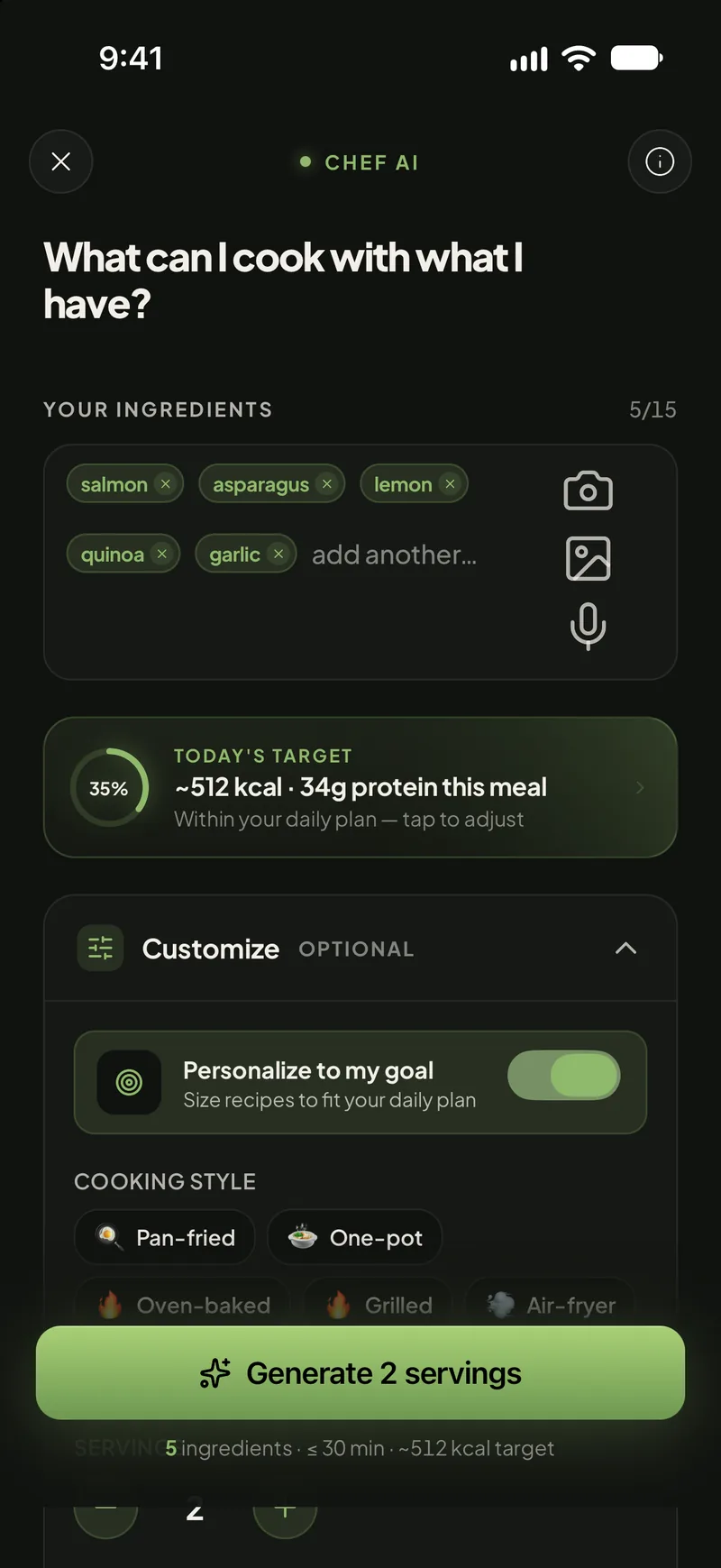
Swoodie’s tracking covers the essentials — photo, voice, text and barcode logging, plus Quick Add for fast manual entry and Food Search across 3 million+ branded foods by name (free, no AI call), real calories and macros, goal-based personalized targets, plus diet-style macro targets (keto, low-carb, high-protein or blood-sugar-friendly) for free — and then spends the rest of the app on execution. Chef AI writes recipes from your ingredients; the AI meal planner builds 1-, 3- or 7-day plans with one consolidated shopping list; ready-made 7-day diet plans load with one tap; and Swipe Together turns “what’s for dinner” into a two-person decision instead of a negotiation. A fasting tracker with six protocols is in there too (the first five fasts are free; unlimited with Lite or Premium). Scans (with your free AI tries on Free and Lite) also carry a Blood Sugar Score — a steady, moderate or spiky read estimated from a meal’s carbs and fibre — and Coach Ollie reads back what you logged each day with one short observation, free on every plan. Every meal you scan by photo also gets a Meal Report Card — a quick grade you can share — and Product Check scores any packaged product 0–100 for quality. And two things both trackers gate or charge for come with Swoodie Lite, a one-time purchase, as well as Premium: step trends, streaks and step badges from Apple Health or Health Connect, and a home-screen widget that keeps any four of seven numbers a glance away.
The honest trade-offs
To keep this honest: if weekly adaptive target tuning is your core need, MacroFactor’s engine is better at that one job than Swoodie’s goal-based targets — the lifters who swear by it aren’t wrong. And a long-time Lose It! user with years of weight history has a real reason to stay that no feature list beats. Swoodie wins on breadth-per-dollar — tracking plus cooking plus couples in one app — not on out-tuning the specialist.
Which one for your goal?
- Simple logging, free, proven: Lose It! — the free tier is genuinely usable.
- Data-driven cutting or bulking with adaptive targets: MacroFactor — the adaptive algorithm is the product, and it’s a genuinely good one (no free tier, though).
- Tracking plus deciding what to cook: Swoodie — recipe generation and meal planning don’t exist in the other two.
- Cooking and tracking with a partner: Swoodie — Swipe Together, Nest and Fast Together are all built for two people; both of the others are single-user apps.
- Try AI photo logging before paying: Swoodie — 10 free scans, no card; MacroFactor needs the subscription, Lose It! needs Premium.
- Most app for the money: Swoodie — $59.99/year, $20 a year above Lose It! Premium and well under MacroFactor.
Deeper breakdowns
One-on-one comparisons with the full feature matrix: Swoodie vs Lose It! and Swoodie vs MacroFactor. For the mainstream-tracker angle, see MyFitnessPal vs Yazio vs Swoodie. If weight loss is the goal, Swoodie for weight loss walks through the setup, and the full alternatives index covers 47 apps.
If you’re choosing between these three, you’re already serious about tracking — the question is whether your app should stop at the numbers. Download Swoodie on iOS or Google Play: the recipe library and tracking are free with no account, 10 AI scans cost nothing to try, and if it sticks you get the kitchen half of weight loss for $20 a year more than Lose It! Premium, or a one-time $9.99 with Swoodie Lite if you’d rather never see a subscription.
Frequently asked questions
Is Lose It! or MacroFactor better in 2026?
Different jobs. Lose It! is the simpler, cheaper logger with a genuinely usable free tier and Premium at $39.99/year. MacroFactor (~$71.99/year, no free tier) is for data-driven lifters: it re-tunes your calorie and macro targets weekly from your real weight trend — the best adaptive engine in the category. If you also want the app to help you cook — recipes, meal planning, a couples mode — Swoodie covers tracking plus that for $59.99/year.
Does MacroFactor have a free version?
No — MacroFactor is subscription-only at roughly $11.99/month or $71.99/year, with a trial but no permanent free tier. Lose It! keeps a usable free tier (logging, barcode, weight goals), and Swoodie's recipe library and basic calorie tracking are free with no account, with AI photo scanning on a one-time 10-use trial, no card.
Does Lose It! have AI photo scanning?
Lose It!'s photo feature, Snap It, sits in Premium and works as a photo-to-database lookup — it identifies the food and matches a database entry rather than estimating the actual portion on your plate. MacroFactor includes AI photo logging in its subscription. Swoodie does AI photo, voice and text estimation with 10 free tries before any payment.
Which calorie tracker also plans meals?
Of these three, only Swoodie. Lose It! and MacroFactor both stop at the numbers — neither generates recipes nor builds meal plans. Swoodie pairs its tracker with Chef AI (recipes from your ingredients), an AI meal planner with one consolidated shopping list, and ready-made 7-day diet plans.
Which tracker works best for couples?
Lose It! and MacroFactor are single-user apps. Swoodie is built for two: Swipe Together picks recipes you both want, Nest shares one household plan and shopping list, and Fast Together pairs you with a partner so you can watch each other's fast run and send encouragement inside it.
Written by
Daniel
Founder of Swoodie
Hi, I'm Daniel — the person behind Swoodie. I'm based in Poland and have been working on Swoodie solo since January 2026. I write about nutrition tracking, intermittent fasting, recipe planning, and cooking together with a partner — everything tested in my own kitchen with the app I'm building.
Related articles
MyFitnessPal vs Yazio vs Swoodie 2026: Free Tiers, AI Scan & Real Prices
8 min read
What MyFitnessPal Premium really costs, what Yazio gives you free vs Pro, and where Swoodie fits: real prices, free tiers and AI photo scans, side by side.
Cal AI vs Foodvisor vs Swoodie 2026: AI Photo Calorie Counter Comparison
8 min read
Is Cal AI or Foodvisor free, what does each really cost, and how accurate are the photo scans? Compared with Swoodie: 10 free AI uses, no card.
Carb Manager vs Cronometer vs Swoodie (2026): Keto, Precision, or All-in-One?
8 min read
Side-by-side comparison of Carb Manager, Cronometer, and Swoodie in 2026 for keto dieters and macro trackers. Features, accuracy, meal planning, and pricing compared.
AI Calorie Counter Apps in 2026: How Photo Scanning Actually Works
6 min read
A practical guide to AI calorie counter apps in 2026: how photo scanning works, what to look for in a food scanner, and how to track macros without weighing everything.