Best Step Counter Apps in 2026 — and How to Turn Steps Into Results
By Daniel · · 8 min read
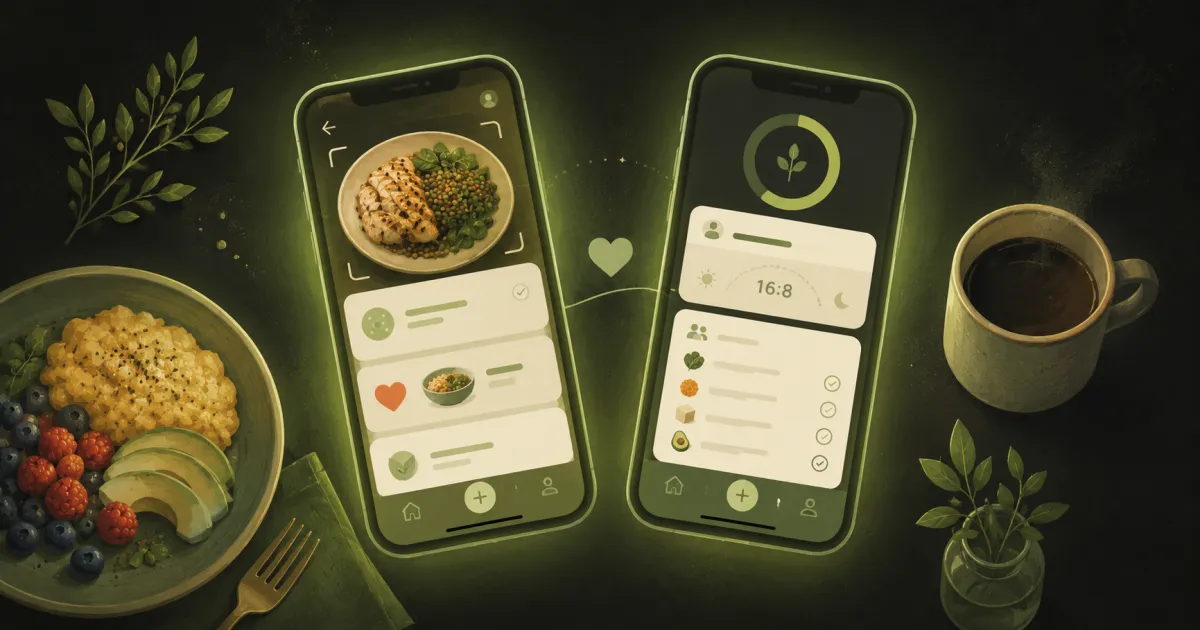
Picking a step counter app got genuinely confusing in 2026. The Fitbit app is gone — replaced by Google Health in May — and Google Fit is being retired right behind it, which means most “best pedometer apps” lists you’ll find are already out of date. This one reflects the landscape as of June 2026.
It also covers the part every step-app listicle skips: a step counter can tell you that you burned 400 calories, but it has no opinion about what you should eat tonight. The counting is the easy half. We’ll rank the counters first, then show you how to close the loop.
The 60-second verdict
- Best dedicated step app: Pacer — the most complete free tier plus challenges and routes.
- Simplest and prettiest: StepsApp — a pedometer that does one thing beautifully.
- If you owned a Fitbit or used Google Fit: Google Health — it’s where both ecosystems now live.
- If you have an iPhone or Apple Watch: Apple’s built-in Health and Fitness apps — free and already on your phone.
- The missing half for all of them: turning those steps into results. Swoodie reads the steps your phone already counts and turns them into room to eat — then handles the food none of these can (below).
What changed in 2026: Google Fit and Fitbit became Google Health
The biggest shake-up in years: between May 19 and May 26, 2026, Google replaced the Fitbit app with Google Health, and Google Fit is being wound down with a data-migration tool promised later in the year. Same core tracking — steps, sleep, heart rate, workouts — reorganized into a new app, with an AI-powered health coach in the Premium tier. If a list still recommends “Google Fit” as a download, it was written before this happened.
The best step counter apps, ranked
1. Pacer — best dedicated step counter
Pacer has been the benchmark pedometer for a decade and the free tier is still the most generous of the dedicated apps: steps, distance, calories, and group challenges without paying. Premium (roughly $9.99/month, with a one-week trial) adds coaching, virtual adventure challenges and removes ads. The catch is the same as every pedometer: it knows everything about your movement and nothing about your meals.
2. StepsApp — best if you just want a beautiful counter
StepsApp is the minimalist’s pick: open it, see your steps as clean charts, done. The free version covers everyday counting (with ads); Pro at about $3.99/month adds GPS workouts and deeper stats. If you find Pacer’s social layer noisy, this is the quiet alternative.
3. Google Health — best for ex-Fitbit and Google Fit users
Like it or not, this is now the default on the Google side. Your Fitbit hardware, your old data (once the migration tool ships), and the step counting all live here, with the AI coach gated behind Premium. Some beloved Fitbit features — badges, sleep animals, community groups — didn’t survive the move, which has long-time users grumbling, but for plain step tracking it works fine and it’s free.
4. Apple Health + Fitness — best iPhone default
If you carry an iPhone, you already own a step counter: the Health app counts via the phone’s motion chip, and the Fitness app turns it into move rings if you add an Apple Watch. Free, private, zero setup. The trade-off is that Apple gives you the data and leaves the “so what?” entirely to you.
5. Samsung Health — best Galaxy default
The same story on Samsung phones: built-in, free, counts reliably, syncs with Galaxy Watch. As with Apple, it’s a measurement tool, not a guide.
The part no step counter can do
Here is the uncomfortable truth about all five: steps are the smaller half of weight loss. A brisk 10,000-step day burns roughly 300–500 calories depending on your body weight and pace — about one pastry. Every app above will display that number with beautiful precision, and then leave you alone at 6pm with the question that actually decides your week: what’s for dinner, and does it fit?
No pedometer plans a meal, generates a recipe from what’s in your fridge, or builds a shopping list. The people who turn steps into visible results are almost always running a second app for the food side — the counter measures the burn, the food app decides what to do with it.
That second app is free to try: Thousands of Swoodie recipes (Premium opens the full 8,000+) and calorie tracking are free with no account, and AI photo logging comes as a 10-use trial — no card. Download on iOS or Google Play, or get a free personalized calorie plan in 3 minutes first.
Pair your step counter with Swoodie
This is the setup that closes the loop — and you may not need a paid pedometer for it at all. Your phone already counts steps for free (Apple Health on iPhone, Samsung Health or Google Health on Android); connect that to Swoodie and the steps flow in automatically, so your daily calorie goal adjusts itself to what you actually moved. Walk more, earn more; sit all day, the target tightens — no manual entry, no math. (Reading your steps into Swoodie takes Swoodie Lite or Premium.)
Then Swoodie handles the half the pedometers can’t: log meals by photo, voice, text or barcode with real calories and macros; pull dinner from the recipe library or let Chef AI write one from your ingredients; plan the week with one consolidated shopping list. And if you walk with the same person you cook with, Swipe Together picks tonight’s dinner with your partner instead of for them.
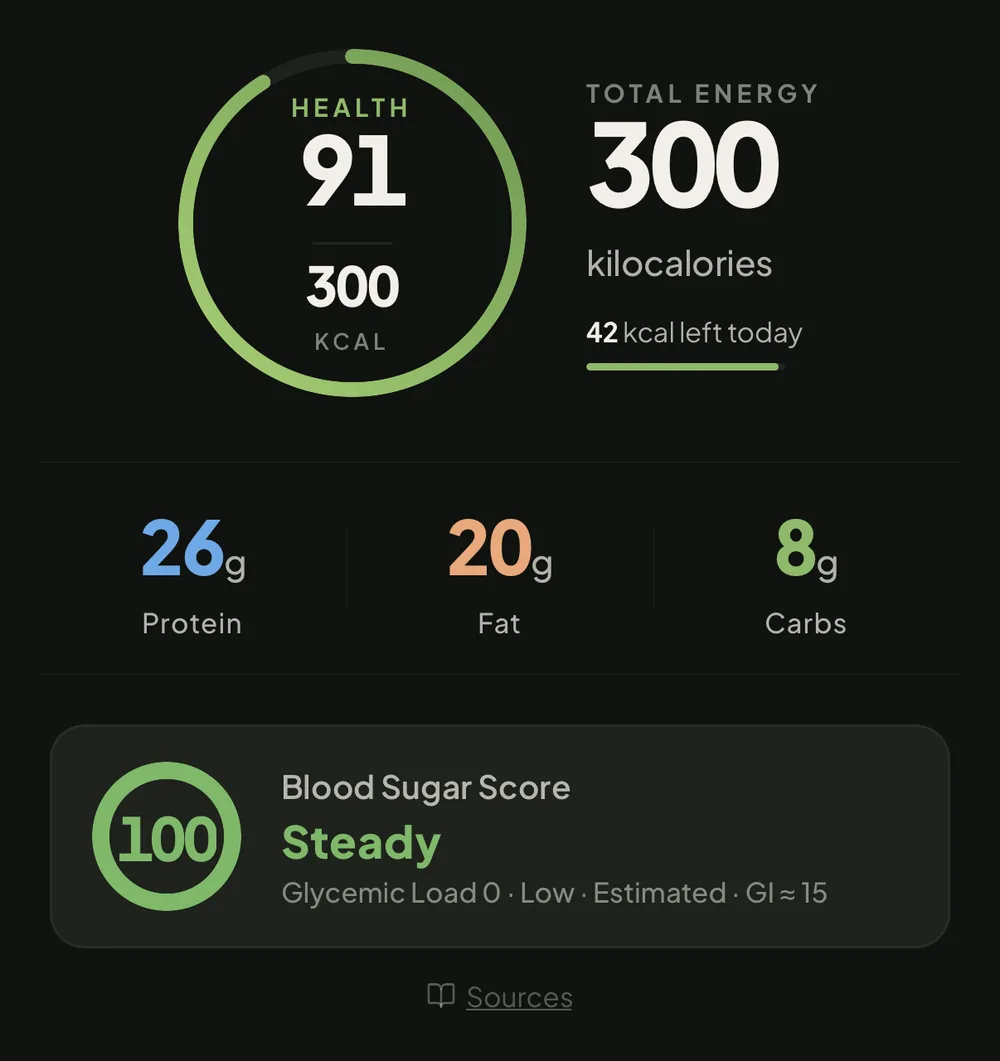
The newer additions matter here more than they look. A 10,000-step day is roughly 300–400 calories — one snack can erase it, which is the whole reason “I walked, so I earned it” quietly fails. So a meal you scan (with your free AI tries on Free and Lite) now comes back with a Blood Sugar Score: a steady, moderate or spiky read estimated from its carbs and fibre, which is the difference between a walk-and-a-snack that holds and one that doesn’t. (An estimate and a tracking signal — not a medical reading.) Coach Ollie reads back what you actually logged each day in one short line, free on every plan, every meal you scan by photo gets a Meal Report Card — a quick grade you can share — and Quick Add makes logging fast enough to survive contact with a busy day.
Which setup for which person?
- The challenge-lover: Pacer for the step competitions — though Swoodie runs its own step challenges too, so the competition and the food can share one app.
- The minimalist: StepsApp (or your phone’s built-in app) + Swoodie — two quiet apps, full picture.
- The Fitbit migrant: Google Health for the hardware + Swoodie for meals, recipes and planning — the recipe access Premium users lost in the migration is exactly what Swoodie does all day.
- The default-app pragmatist: Apple Health or Samsung Health + Swoodie reading the steps in the background.
- The couple: any counter you each like + one Swoodie Nest — steps stay personal, dinner becomes a shared decision.
Go deeper
How steps actually convert to calories (and when the numbers mislead): Do steps count as calories? Estimate your own burn with the free calories burned calculator, or browse all 25 free calculators.
The counters are solved — your phone already has one, and Pacer or StepsApp make it nicer. The results live on the food side, and that is the half most people never close. Download Swoodie on iOS or Google Play, connect your steps once, and every walk starts counting toward dinner. Recipes and tracking are free with no account, ten AI scans cost nothing to try, and Premium is free for 7 days on the yearly plan — or pay once for Swoodie Lite ($9.99). Not sure of your numbers yet? Get a free personalized calorie plan in three minutes.
Frequently asked questions
What is the best step counter app in 2026?
For a dedicated app, Pacer has the most complete free tier (steps, distance, calories, challenges); StepsApp is the best minimalist pick. If you owned a Fitbit or used Google Fit, Google Health is now home for both. And on any modern phone, the built-in Apple Health or Samsung Health app counts steps fine for free — the bigger gap is usually the food side, which is what an app like Swoodie covers.
What happened to Google Fit and the Fitbit app?
In May 2026 Google replaced the Fitbit app with Google Health (Fitbit Premium became Google Health Premium), and Google Fit is being retired with a data-migration tool promised later in 2026. Core tracking — steps, sleep, heart rate, workouts — carried over; some legacy Fitbit features like badges and community groups did not.
Do I need a paid step counter app?
Usually not. Step counting itself is a solved, free problem — your phone's built-in app or the free tiers of Pacer and StepsApp cover it. If you're going to spend money on a weight-loss stack, the food side gives more back: Swoodie Premium ($59.99/year) costs less than most pedometer subscriptions and adds AI photo logging, recipes and meal planning rather than a nicer step chart.
How many calories do 10,000 steps burn?
Roughly 300–500 calories for most adults, depending on body weight, pace and terrain — about one pastry, which is why steps alone rarely move the scale. You can estimate your own number with Swoodie's free calories burned calculator, and if you connect Apple Health or Health Connect to Swoodie (Lite or Premium), your real step burn is added back into your daily calorie goal automatically.
Can a step counter app also track my food?
Mostly no — pedometers measure movement, and the few that bolt on food logging keep it basic. The pairing pattern works better: let any step counter do the counting, and connect a food-first app for meals. Swoodie reads your steps via Apple Health or Health Connect (Lite or Premium), adjusts your daily goal, and handles logging (photo, voice, text, barcode), recipes and weekly meal planning in one app.
Written by
Daniel
Founder of Swoodie
Hi, I'm Daniel — the person behind Swoodie. I'm based in Poland and have been working on Swoodie solo since January 2026. I write about nutrition tracking, intermittent fasting, recipe planning, and cooking together with a partner — everything tested in my own kitchen with the app I'm building.
Related articles
How to Cancel a Diet or Calorie App Subscription on iPhone and Android (2026)
6 min read
Step-by-step: cancel a calorie or diet app subscription on iPhone or Android, why deleting the app doesn't stop the charges, how to ask for a refund, and how to avoid the next trial charge.
Free Calorie Counter With No Ads, No Account and No Card (2026)
6 min read
How to tell a genuinely free calorie counter from a trial in disguise — the ads label, card-first trials and account walls — which popular apps carry Google Play's ads label, and what Swoodie's free plan includes.
How to Calculate Your Calorie Deficit: The Formula in Plain English
9 min read
What a calorie deficit is, the formula behind it, and how to work out yours step by step — plus how big it should be, why the 3,500-calorie rule overshoots, and the mistakes that quietly close it.
Which Calorie Trackers Let You Export Your Data? (2026)
9 min read
Most calorie apps do let you export — so the real questions are which tier the export sits in, and whose copy you are getting. An honest look at Cronometer, MyFitnessPal, MacroFactor, Yazio and Swoodie.